How to Turn a YouTube Playlist into an AI Tutor

Co-founder at King’s Cross Labs · ex-LinkedIn PM & Forbes 30 Under 30
Send this guide to yourself
Get the link in your inbox so you can read it whenever you're ready.
Your email will also be saved for future updates.
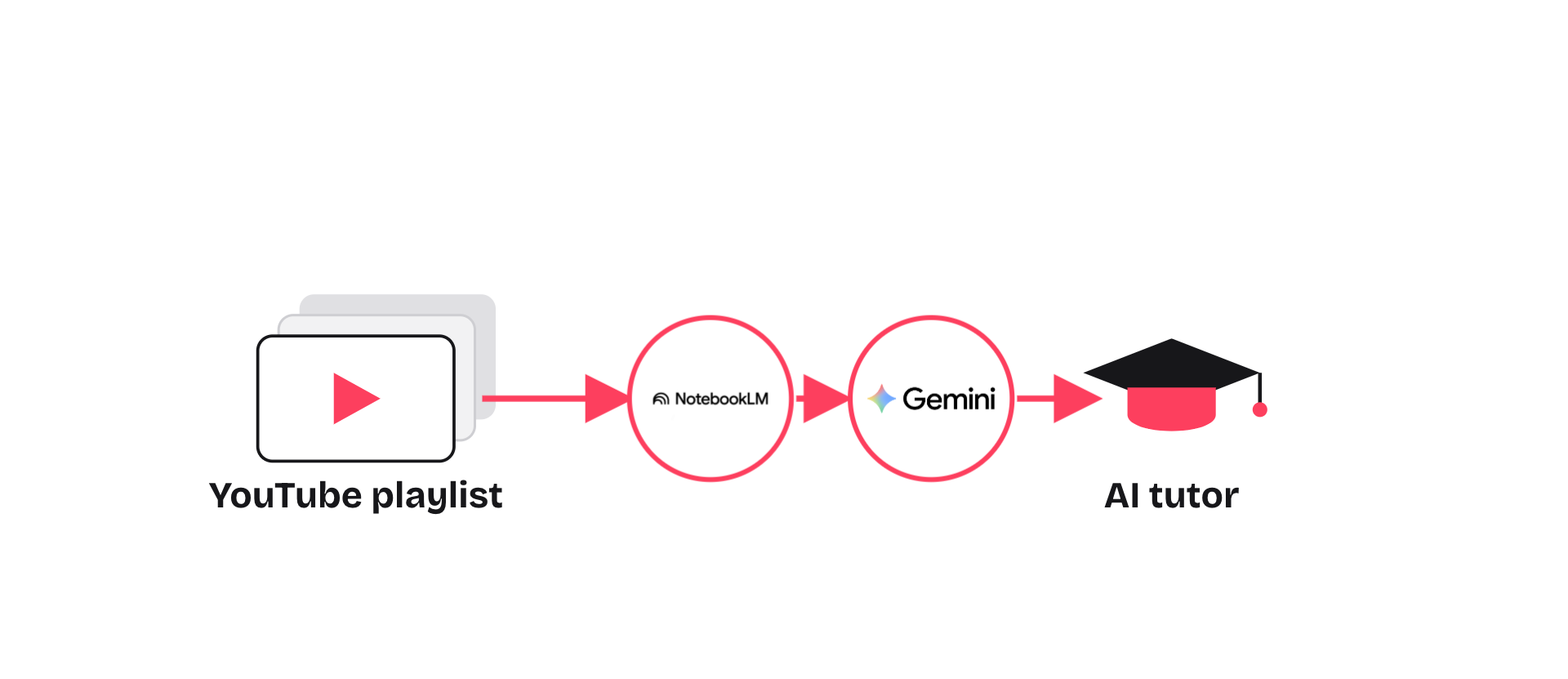
You've got YouTube playlists of marketing tutorials and growth hacks you never finish. Paste one into NotebookLM, pull out the framework, then drop it into Gemini Canvas and make a tutor you actually click through. Under five minutes. Free Google tools you already have.
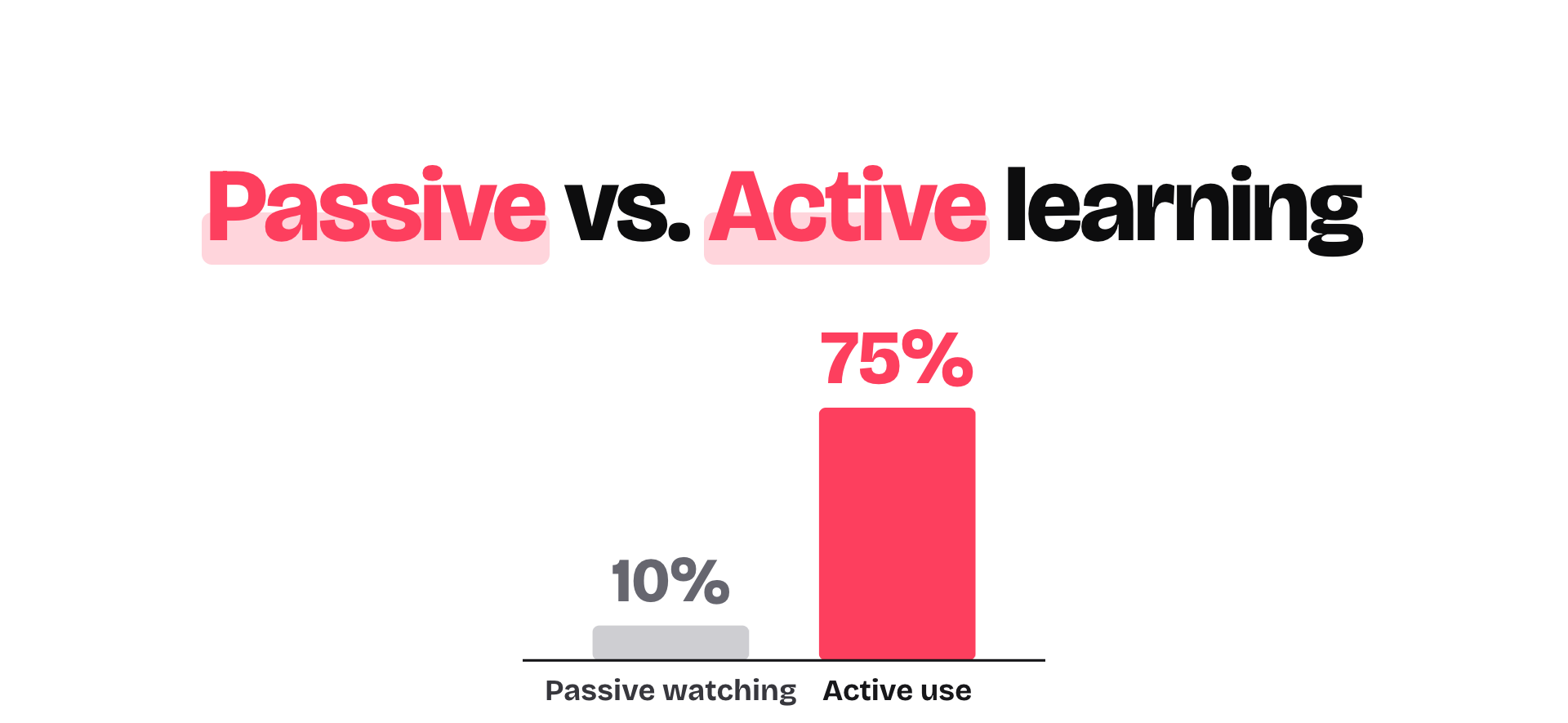
I do this when I want to sharpen taste and creativity, not collect more "watch later" guilt. Passive rewatching gets you about 10% retention. Working the material gets you closer to 75%.
Why this matters
Saving a playlist feels productive. Finishing it rarely is. You watch the same video twice, remember nothing useful, and still can't teach the framework back. NotebookLM reads the video for you. Gemini Canvas turns the outline into something you quiz yourself on. Same content, way stickier.
If you've already built an AI coach in Claude, this is the YouTube version of that move: load the source, then build a place to practice.
1. Paste the YouTube link into NotebookLM
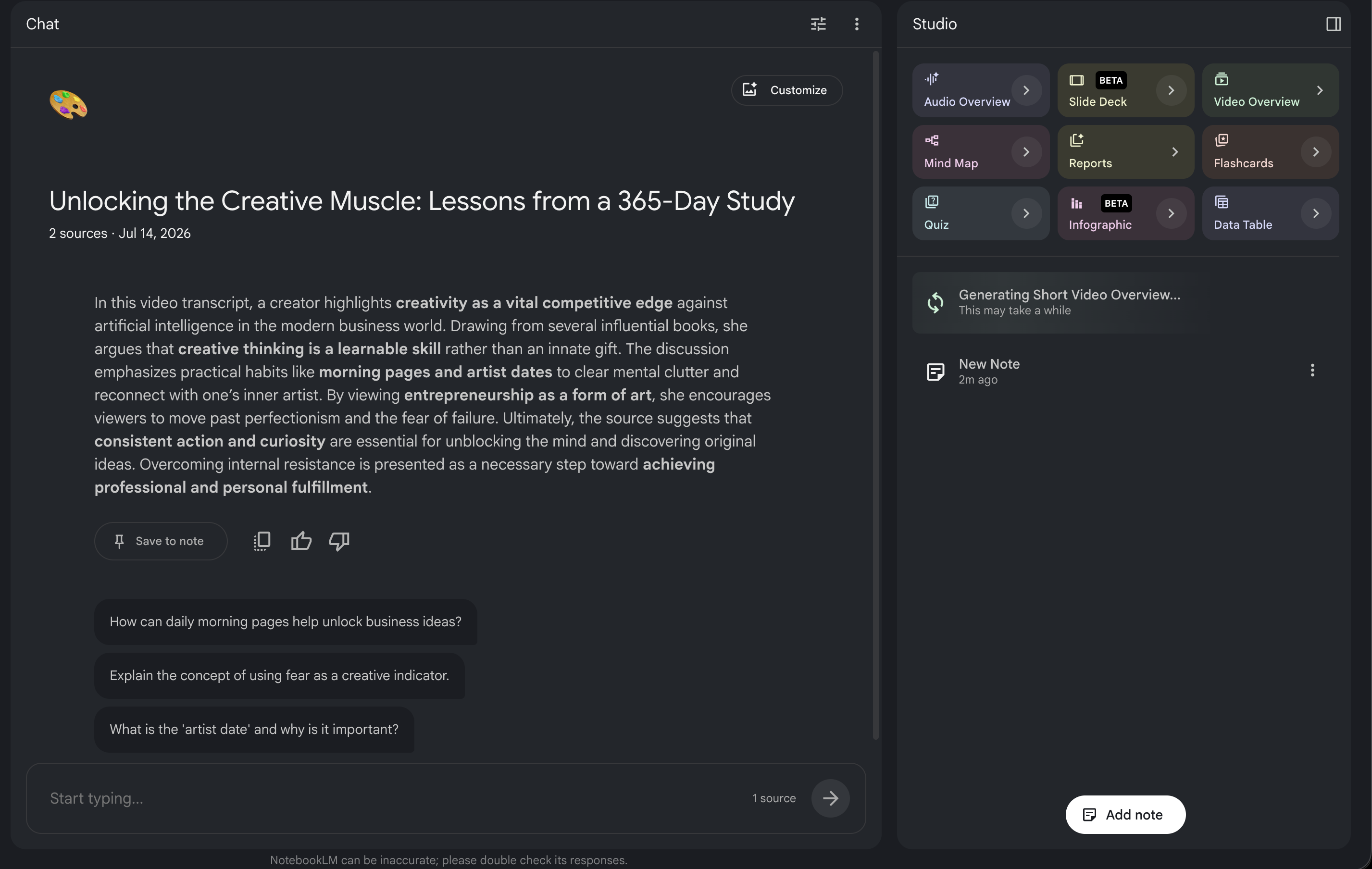
Open NotebookLM and make a new notebook. Paste the playlist or single video URL as a source. NotebookLM reads the whole thing. No transcript download. No cleanup.
I used a video on unlocking creative taste, mostly because as a growth and marketing cofounder I keep needing that muscle. Within a minute the source was loaded and a summary of the core ideas was sitting in chat.
2. Pull the framework, then explore other formats
Ask NotebookLM for the core framework the video teaches, then squeeze it into a short outline. Keep it tight: the principles, the order, and what you'd actually practice.
Then poke around Studio. Flashcards, quizzes, mind maps, audio overviews, slide decks. You don't need all of them. Pick whatever matches how you learn.
Prompts I use:
Pull out the core framework this video teaches in 5–7 steps.Turn that into a short study outline I can practice against.What would a 10-question quiz on this look like?Key insight: NotebookLM extracts. Gemini is where you practice. Don't make one tool do both.
3. Build an interactive tutor in Gemini Canvas
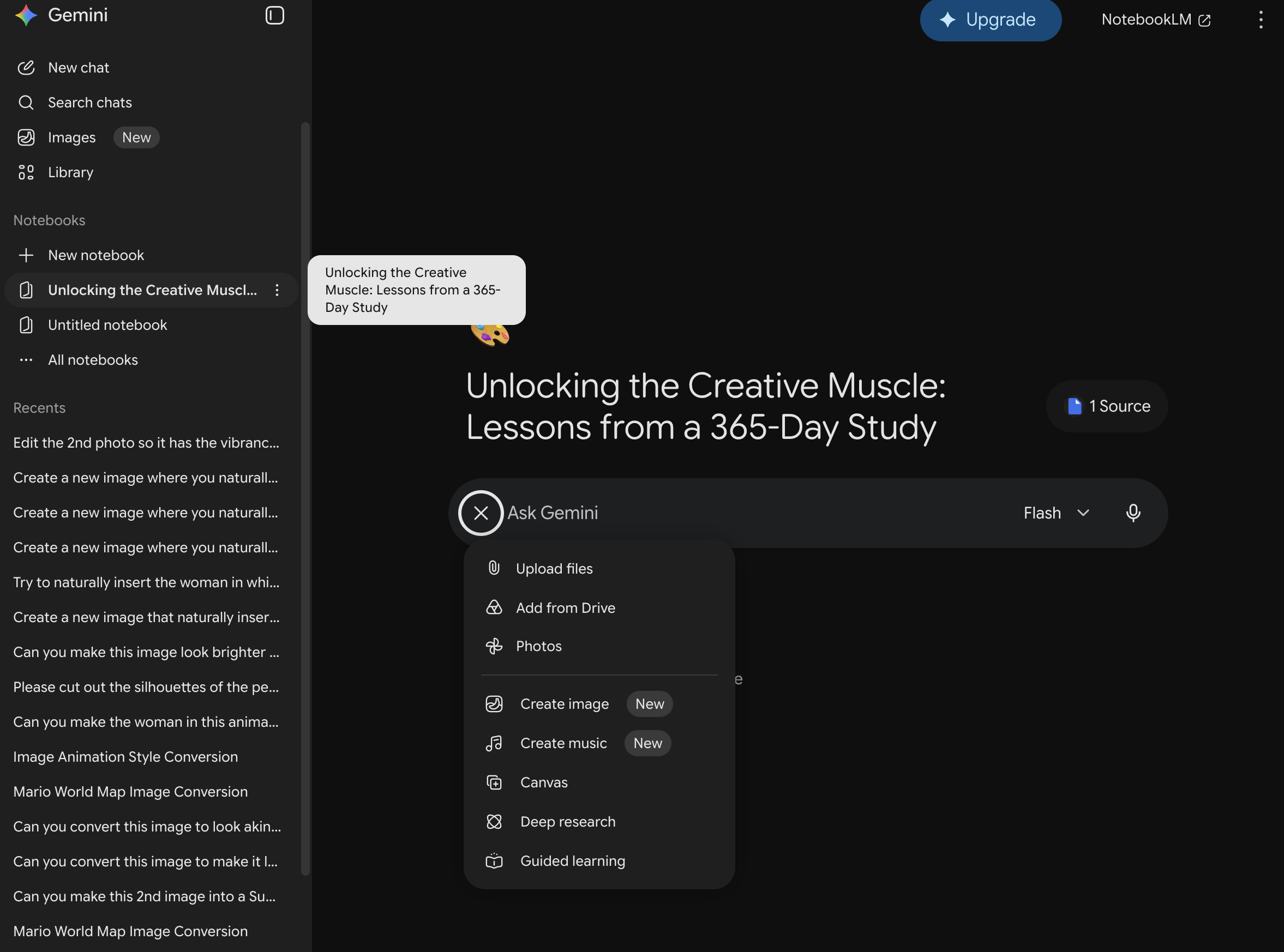
Take the outline into Gemini (bring the NotebookLM source along if Gemini can see it). Turn on Canvas, then ask it to build a simple interactive app so you're working the material instead of rewatching it.
Prompt that worked for me:
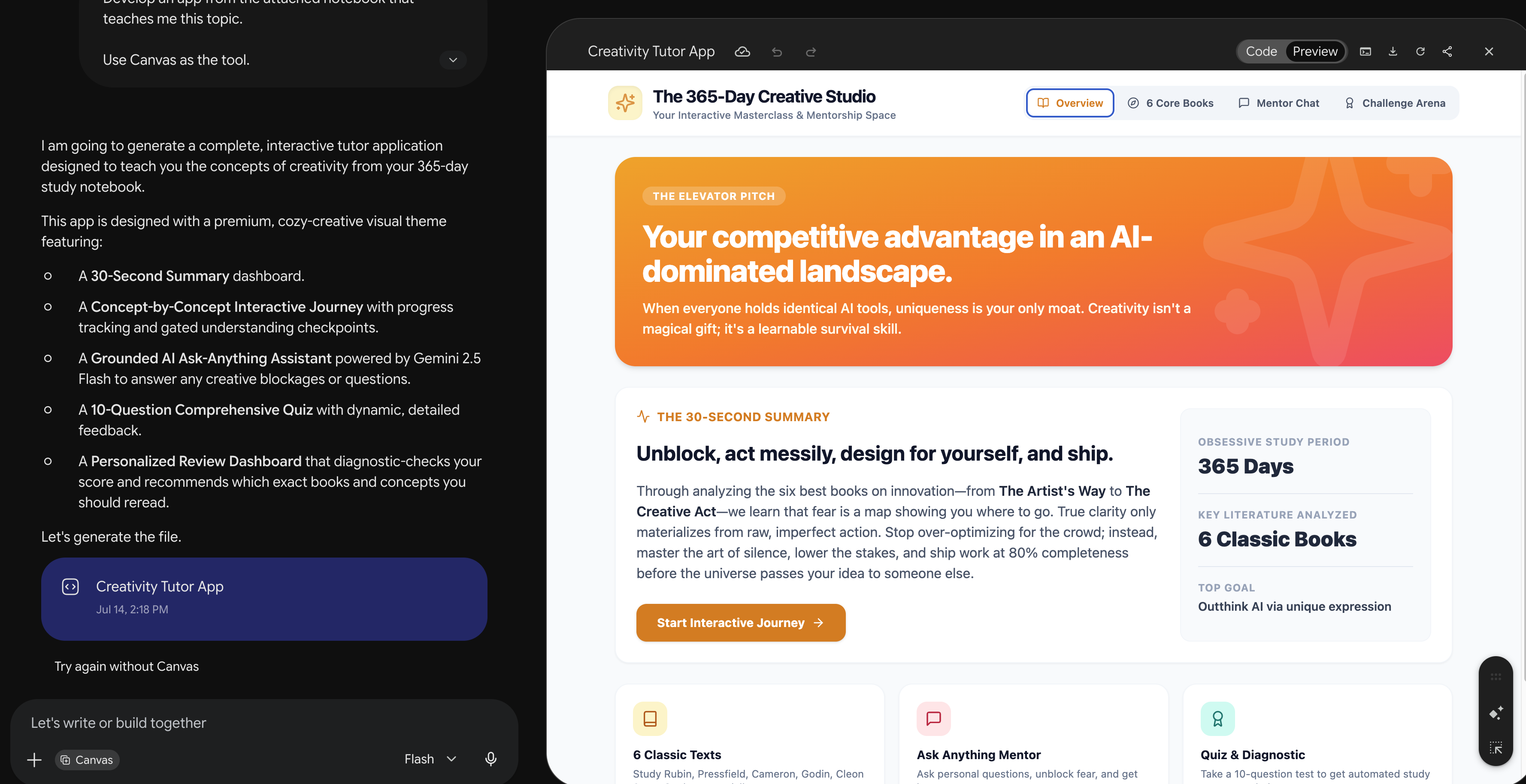
Develop an app from the attached notebook that teaches me this topic. Use Canvas as the tool.Gemini built me a creativity tutor with an overview, a concept journey, a mentor chat, and a quiz. That's when it clicked: I wasn't "reviewing" anymore. I was using it.
If you like building little tools from plain English, same energy as vibe coding for beginners. Here the "app" is just a learning surface for one topic.
What changes when you learn actively?
Rewatching a growth video feels like progress. Quizzing yourself on the framework actually is. Once Gemini builds the tutor, you stop consuming and start rehearsing. Overview, concept checks, ask-anything practice, a diagnostic quiz. Whatever gets you saying the ideas out loud.
This works for more than marketing playlists. I've used it on sales frameworks and product teardown series too. Anything you keep saving and never finishing.
Want a real course with a certificate instead of a DIY tutor? Here's my short list of AI courses and certifications worth finishing. And if you want a practice surface that sticks around in Claude, Live Artifacts pairs well with this habit.
Additional Reading
Here are some related guides to check out:
Frequently asked questions
- Can I do this with a free Google account?
- Yes for the basic loop. NotebookLM and Gemini both work on free tiers for this workflow. Longer playlists or heavier Canvas apps may hit usage limits faster, so start with one strong video if you are on free.
- Does NotebookLM work with a full playlist or only one video?
- It works with both. Paste a playlist URL or a single video. If the playlist is long, start with the one video you actually need to learn this week so the outline stays focused.
- What should I ask Gemini Canvas to build?
- Ask for an interactive tutor with a short overview, a step-by-step practice path, a quiz, and an ask-anything mentor grounded in the source. That mix beats a static summary every time.
- Is this better than just watching the video twice?
- Yes if your goal is retention and application. Rewatching keeps you in consumption mode. A tutor forces you to retrieve, answer, and practice the framework out loud or on screen.
Want to build your first AI agent?
Build Your First Agent 101 is the next step! You'll get step by step guides, video tutorials and starter prompts to create your first agent in half a day, customized to your own workflow.
Learn more