3 Fun Things to Build with Fable Before July 8

Co-founder at King’s Cross Labs · ex-LinkedIn PM & Forbes 30 Under 30
Send this guide to yourself
Get the link in your inbox so you can read it whenever you're ready.
Your email will also be saved for future updates.
Fable goes away on July 8th. If you have not played with it yet, now is the time to build something wild. Not another email draft. Something you would actually show a friend.
In part 1, I shared three practical Fable use cases. This is part 2: four creative builds that only make sense when you have a model this capable.
Fable is Anthropic's newest and most capable model. After July 8, it moves to pay-per-use pricing. Treat the next few days like a free trial with unlimited ambition.
Key insight: Fable is not for your Tuesday inbox. It is for the project you always assumed was too ambitious to start.
Build a 3D interactive world
Pick a setting you know well and describe what someone can actually do inside it. Walk through rooms, open doors, click objects that reveal hidden details. Fable can hold the whole thing in one shot.
Matt Shumer built a Harry Potter world that went viral because it is a place you can explore, not just a pretty image.
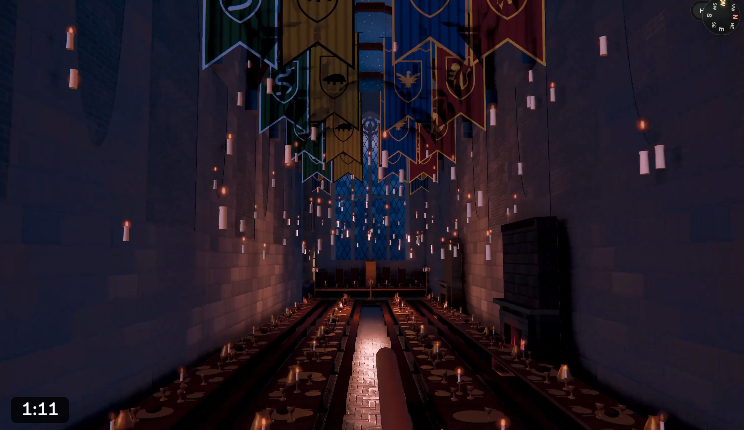
Open Claude Code, select Fable, and paste this:
Build a fully interactive 3D world inspired by [YOUR SETTING — e.g. Hogwarts, a fantasy forest, my hometown].

Requirements:
- First-person or free-roam navigation (WASD + mouse)
- At least 5 explorable areas connected by doors or paths
- 3+ clickable objects that reveal hidden details or pop-up info
- Ambient lighting and sound that match the mood
- Runs in the browser, no install needed

Start with a playable prototype in one shot. Tell me what to click to explore.
Create a Pixar-quality educational video
Pick one topic you could explain in 60 seconds. Ask Fable to turn it into a short animated story with characters, not slides. The production quality is the whole point.
Matt Shumer posted an example of a Pixar-quality explainer generated in a single pass.
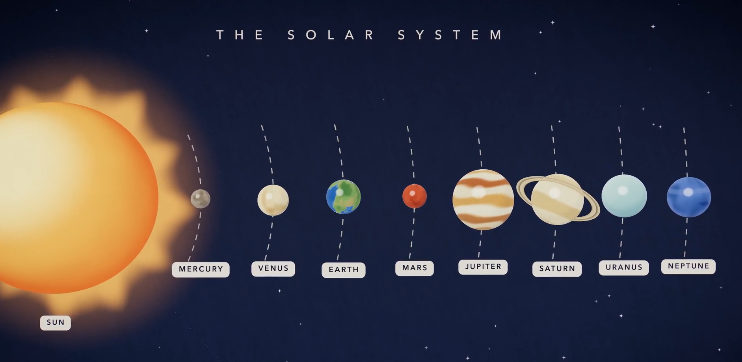
Create a 60-second animated educational video explaining [YOUR TOPIC — e.g. how compounding interest works].

Style: Pixar-quality 3D animation. Warm, colorful, approachable.

Structure:
- Open with a relatable character facing a problem
- Explain the concept through a short story (not bullet points)
- End with one clear takeaway the viewer remembers

Make it feel like something a kid would actually want to watch.
Add animations and easter eggs to your website
Connect your site as a project in Claude Design. Ask for wild ideas, pick a favorite from five variations, then let Claude help you hand it off to Claude Code for the real implementation.
I am doing this on mikareyes.com right now. My homepage will have animations and easter eggs built with this exact workflow.
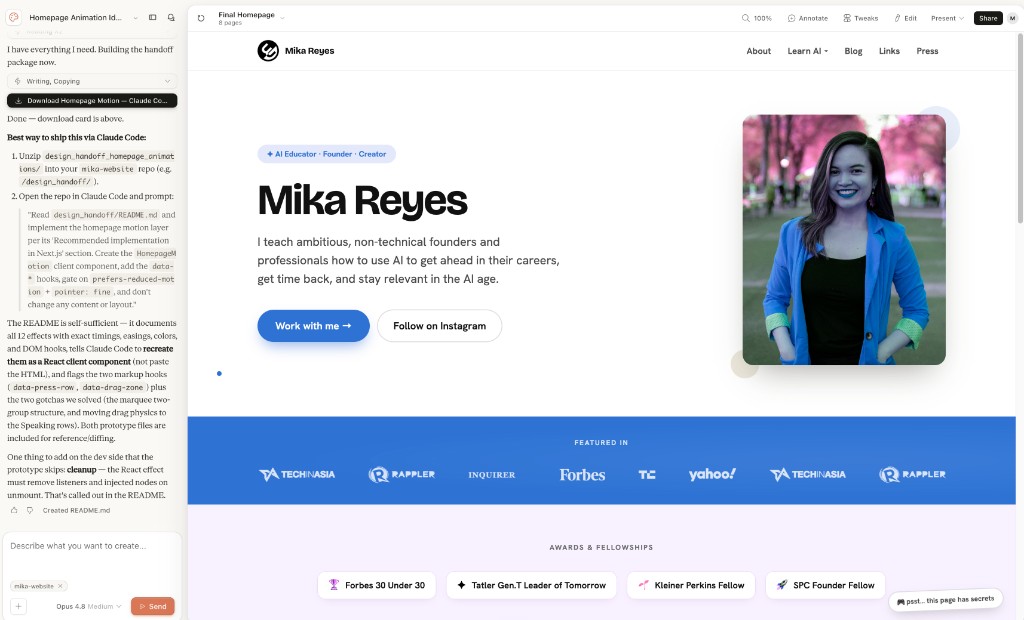
Design fun, insane, crazy animations and easter eggs for this website [connected as a project to Claude Design]. Show me 5 variations. Then, help me create a handoff to Claude Code to implement to my website.One-shot a game (or build your own)
Pick a simple game you know by heart, or invent something new. Fable can clone a classic in one pass or build an original from a short description. Play one full round before you share it.
_nilni one-shotted Minecraft. Matt Shumer built his own game from scratch. Both are fair game.
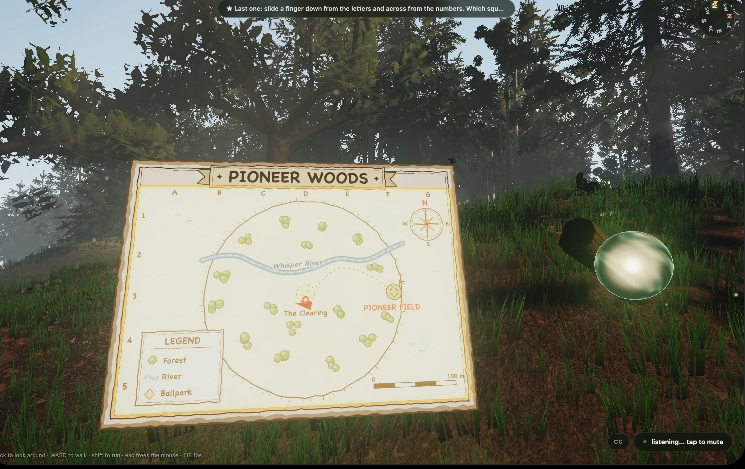
Clone prompt:
Build a playable browser game inspired by [GAME — e.g. Minecraft, Snake, Tetris].

Match the core mechanics and feel. Keep the scope small enough to play in one sitting. Generate a working prototype in one shot, then tell me the controls.
Original game prompt:
Build an original browser game from scratch.

Core mechanic: [DESCRIBE IN ONE SENTENCE — e.g. "catch falling stars before they hit the ground"]
Win condition: [e.g. "survive 60 seconds" or "reach 100 points"]
Vibe: [e.g. cozy, arcade, chaotic]

Make it fun in the first 10 seconds. One-shot a playable prototype and tell me the controls.
Make sure Fable is selected as your model in Claude Code before you start. These builds are visual and multi-step. A lighter model will fall apart halfway through.
Here are some related guides to check out:
Frequently asked questions
- What kind of projects is Fable actually good for?
- Fable shines on ambitious, visual, multi-step builds: a fully interactive 3D world, a Pixar-quality animated explainer, website animations, or a playable game one-shotted from a prompt. These are projects where a lighter model would fall apart halfway through. Think of it as the model for the thing you always assumed was too ambitious to start, not your Tuesday inbox.
- Can Claude build a playable game in one shot?
- Yes. With Fable selected in Claude Code, you can clone a classic like Snake or Tetris, or describe an original game (core mechanic, win condition, vibe) and get a working browser prototype in a single pass. People have one-shotted everything from Minecraft to original games this way. Ask it to tell you the controls, then play a full round before you share it.
- Do I need to pick Fable before I start these builds?
- Yes. Make sure Fable is selected as your model in Claude Code before you begin. These builds are visual and multi-step, so a lighter model tends to fall apart partway through. The capability of the model is the whole point of these projects.
Want to build your first AI agent?
Build Your First Agent 101 is the next step! You'll get step by step guides, video tutorials and starter prompts to create your first agent in half a day, customized to your own workflow.
Learn more