Carousel Generator

Co-founder at King’s Cross Labs · ex-LinkedIn PM & Forbes 30 Under 30
Send this guide to yourself
Get the link in your inbox so you can read it whenever you're ready.
Your email will also be saved for future updates.
With one skill and a free connector, Claude builds your carousel directly inside Gamma, formatted, themed, and ready to post.
Carousels are one of the highest-performing content formats on Instagram and LinkedIn right now. The bottleneck is never the idea. It's making the thing. This workflow takes you from idea to ready-to-post in minutes, and gets faster the more you use it.
Carousel Generator with Gamma
Step 1: Open Claude and add the Gamma connector
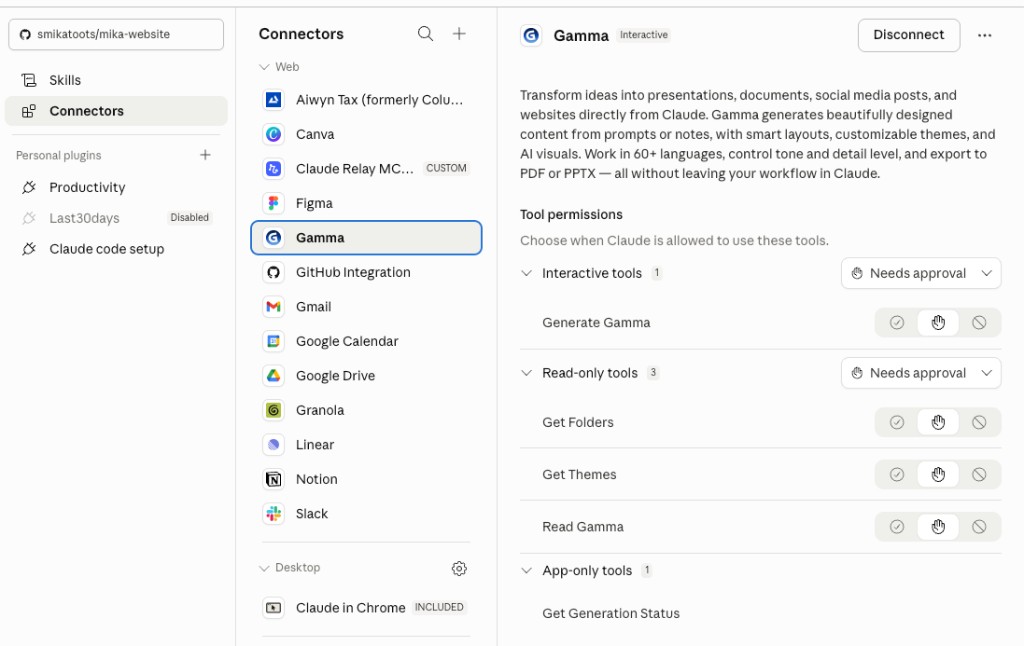
Go to Claude, click Customize in the top right, then click Connectors. Hit Browse Connectors, search for Gamma, and add it. Claude can now talk directly to Gamma, the AI-powered presentation and carousel tool.
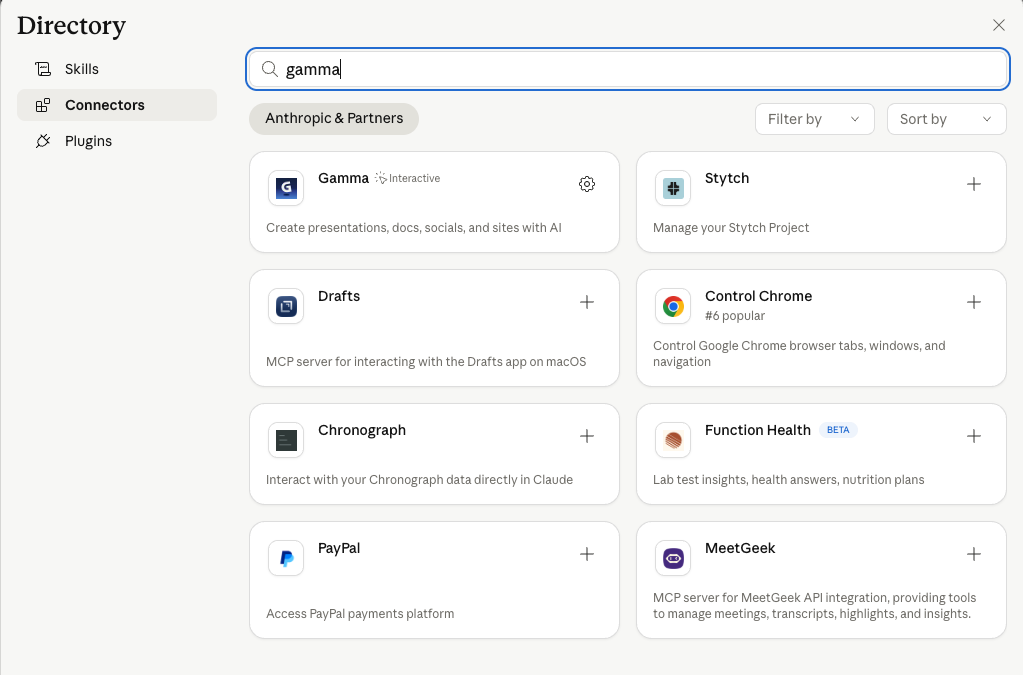
Step 2: Add the connector
Click "Add" on the Gamma connector. Once connected, Claude has a whole set of ways to interact with Gamma: create decks, push slides, pull themes. You didn't write a single line of code.
Set up your theme in Gamma
Step 3: Go to Gamma and create a theme
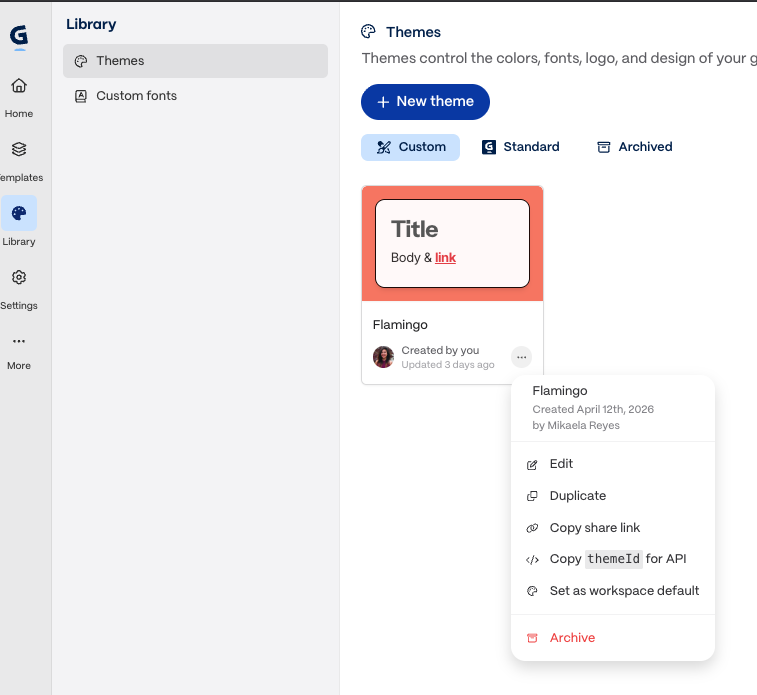
Head to gamma.app. Create a free account if you don't have one. Inside Gamma, create a new theme and pick your colors, fonts, and vibe. This is how your carousels will look every time Claude builds one for you.
Step 4: Grab the theme ID
Once your theme is saved, find the theme ID. It lives in the URL or in the theme settings panel. Copy it and paste it into the skill prompt when you're ready.
Run the skill
Step 5: Use the Generate Carousel skill in Claude
Inside Claude, run the Generate Carousel skill. (DM me "SKILL" if you want a copy.) Paste in your Gamma theme ID, then tell Claude what you want the carousel to cover. It handles the slide structure, copy, and layout, then pushes everything directly into Gamma.
Copy/paste the below into Claude and ask it to create a skill for you using /skill-creator. Answer the questions to make sure it is customized to your needs.
Help me create a "generate-carousel" skill using the template below using /skill-creator. Ask me questions with AskUserQuestion to customize the template based on my needs and style preferences. If it's missing context .md files to reference, ask me about those first. Ask me about my style preferences for the Gamma MCP connection. Also if I'm connecting Gamma MCP, read what is possible and help me with that section of the template.

TEMPLATE:
---
name: generate-carousel
description: Generates carousel slides for Instagram and LinkedIn. Use when the user asks for a carousel, slide deck for social, carousel content, swipeable post, or multi-slide post. Also use when the user wants educational or tutorial content in slide format.
---

# Generate Carousel

Generate a carousel (7-10 slides) for Instagram and LinkedIn on the topic provided by the user.

## Before You Start

1. Read `USER.md` or `CONTENT.md` to internalize the user's voice and content style.
2. Read `examples.md` in the skill folder to learn from past carousels the user has approved and what performed well. If no examples exist yet, proceed normally.
3. Identify which content pillar the topic maps to
4. After generating, verify the carousel passes the quality checklist below

Never generate content without reading context files first. The user's oice is the most important thing to get right.

## Workflow

1. User provides a topic (optionally specifying which content pillar)
2. Generate hooks first based on the topic
3. User picks their favorite hook
4. Present 5 carousel flow suggestions (Step 1 below)
5. User picks a flow direction
6. Generate full carousel copy (Step 2 below)
7. User reviews and edits
8. Optionally push to Gamma (Step 3 below)

## Learning System

This skill folder contains an `examples.md` file that tracks what the user has approved over time. Read these examples before generating to learn from patterns that resonate.

- When user approves a carousel, append it to `examples.md` (see After Completion)
- When user shares performance data ("that carousel went viral", "got 100K impressions"), update the relevant entry
- Over time, this builds a personalized reference of what works

## Hook

- If the user already selected a hook, use it
- If the user has not provided a hook, generate suggestions

## Step 1: Carousel Flow Suggestions

Before writing the full carousel, present **5 carousel flow suggestions** -- short outlines of how the slides might be structured. Each suggestion should:
- Describe the narrative arc across slides (what the hook sets up, how the value unfolds, the payoff)
- Vary in angle, structure, or teaching approach (e.g., one might be a numbered list, another a myth-busting sequence, another a before/after progression, another a step-by-step tutorial)
- Reference storytelling structures or frameworks from `examples.md` where they naturally fit -- but don't force them
- Be concise enough for user to quickly scan and pick

Output format:

CAROUSEL FLOW OPTIONS (pick one, or combine elements):

1. **[Short label]** -- [2-3 bullet description of how the slides flow]
2. **[Short label]** -- [2-3 bullet description]
3. **[Short label]** -- [2-3 bullet description]
4. **[Short label]** -- [2-3 bullet description]
5. **[Short label]** -- [2-3 bullet description]

Wait for the user to pick or give direction before writing the full carousel.

## Step 2: Full Carousel Copy

Once the user approves a flow direction, write the full carousel.

### Slide Structure

**Slide 1: Hook/Title**
- The selected hook, formatted as a bold attention-grabbing title
- This is what stops the scroll -- make it count

**Slide 2: Context Bridge**
- 1-2 sentences that set up WHY this matters or WHO this is for
- Bridges the hook to the value slides
- Optional -- skip if the hook is self-explanatory and the value slides don't need setup

**Slides 3-8/9: Value Slides**
- Each slide = 1 big statement (the header) + optional supporting text
- Headers should be punchy, scannable, and standalone -- someone should get value just from swiping headers
- Supporting text adds context, examples, or a quick explanation (keep it tight)
- 10-40 words per slide total
- Each slide should deliver a distinct, specific point -- no filler slides
- Use real numbers, real tools, real examples wherever possible

**Last Slide: CTA**
- One of these patterns:
  - "Follow @[handle] for more [topic]"
  - "Save this carousel for later"
  - "Share this with someone who needs it"
  - "Comment [KEYWORD] and I'll send you [resource]"
- Can also include a brief restatement of the core takeaway above the CTA

### Copy Rules

- ELI-5 everything -- assume the reader is just getting started
- No jargon without immediate plain-English explanation
- Each slide should make sense on its own (people skim and skip)
- Headers do the heavy lifting -- supporting text is bonus context
- Write like you're explaining to a smart friend, not lecturing
- Be honest about limitations and gaps -- don't oversell tools

## Quality Checklist

Before outputting the full carousel, verify:
- Reinforces "time-rich" value
- 7-10 slides total
- Slide 1 is a scroll-stopping hook
- Last slide has a clear CTA
- Each value slide has a distinct, specific point (no filler)
- Headers are scannable -- someone gets value just reading headers
- ELI-5 level language throughout -- no unexplained jargon
- Real numbers, tools, or examples where relevant
- Honest about gaps/limitations (no hype)
- Sounds like the user (conversational, direct, warm)
- If past examples exist in examples.md, consistent with patterns that performed well

## Output Format (Full Carousel)

SLIDE 1 (Hook):
**[Header text]**

SLIDE 2 (Context):
**[Header text]**
[Supporting text]

SLIDE 3:
**[Header text]**
[Supporting text]

SLIDE 4:
**[Header text]**
[Supporting text]

[... continue for all slides ...]

SLIDE [N] (CTA):
**[Header text]**
[CTA text]

---

Slides: [X slides]
Pillar: [which content pillar]

## Step 3: Push to Gamma (Optional)

After the user approves the carousel copy, ask if they want to push it to Figma.

If yes:
1. Ask for the Gamma theme URL
2. The file contains three component templates to use as the base for each slide:
   - `claude_template_header` -- use for Slide 1 (Hook/Title)
   - `claude_template_body` -- use for all value slides (Slides 2 through N-1)
   - `claude_template_cta` -- use for the last slide (CTA)
3. Use the Gamma MCP to build the carousel
[Ask for the user's preferences to build this template]

## After Completion

When the user approves a carousel:
1. Append a new entry to `examples.md` in this skill folder with this format:

```
### [YYYY-MM-DD] - [topic]
Pillar: [pillar name]
Hook used: "[the hook]"
Slides: [number of slides]
Carousel:
[the full approved carousel copy]
Performance: pending
```

If the user later shares performance data (e.g. "that carousel went viral", "got 100K saves"), find the most recent relevant entry in examples.md and update its Performance field.

## Arguments

The user provides the topic as $ARGUMENTS. They may also include a pre-selected hook. If no topic is given, ask what they want to create a carousel about.
Step 6: Check Gamma
Go back to Gamma. Your carousel is built and waiting. The slides are structured, the copy is written, and your theme is applied. You'll probably tweak a few things, a word here, a slide order there, but the bulk of the work is done.
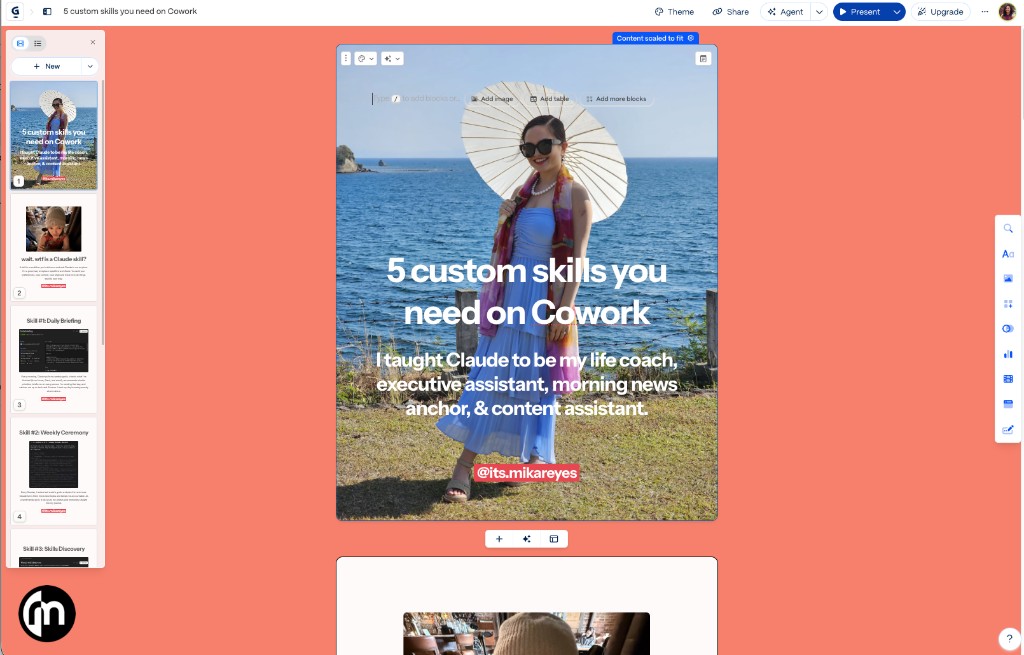
Key insight: Skills compound. Every time you customize this one, tweaking the prompt, locking in your slide structure, adjusting the tone, you get more output for less input.
Step 7: Build your customizations into the skill
The first carousel Claude makes won't be perfect. That's fine. When you notice something off, a slide format you always change, a section that always comes out wrong, add that note to the skill. Over time, the output gets closer to publish-ready with every run.
That's compounding in practice. You're not just using a tool. You're training a workflow.
Where to start
If you've never used Claude connectors before, start with steps 1, 2, and 3. Get Claude connected to Gamma first, create a theme, and see how the two tools talk to each other.
If you already use Claude daily but haven't tried skills yet, start with steps 5 and 6. Use the Generate Carousel skill with any theme and see how fast a carousel comes together.
If you're already using skills and want to level up, start with step 7. Go back to a skill you use regularly and add two or three specific customizations based on what you always end up changing manually. That's where the compounding starts.
Additional Reading
Here are some related guides to check out:
Frequently asked questions
- How do I make Instagram carousels with AI?
- Connect Claude to Gamma with a free connector, then run a carousel skill that writes the slide structure and copy and pushes everything straight into Gamma, themed and ready to post. Carousels are one of the highest-performing formats on Instagram and LinkedIn, and the bottleneck is making them, not the idea. This takes you from idea to ready-to-post in minutes.
- How do I connect Claude to Gamma?
- In Claude, click Customize in the top right, open Connectors, hit Browse Connectors, search for Gamma, and click Add, with no code required. Then create a theme in Gamma with your colors and fonts, grab its theme ID, and paste that into the skill so every carousel matches your brand. Once connected, Claude can create decks, push slides, and pull themes directly.
- How do I keep my carousels on-brand every time?
- Set up a theme in Gamma with your colors, fonts, and vibe, then give Claude the theme ID so it applies that look to every carousel it builds. Beyond that, build your fixes back into the skill: whenever you notice a slide format you always change, add that note so the output gets closer to publish-ready each run. That's the compounding: you're training a workflow, not just using a tool.
Want to build your first AI agent?
Build Your First Agent 101 is the next step! You'll get step by step guides, video tutorials and starter prompts to create your first agent in half a day, customized to your own workflow.
Learn more