How to Create Your Own Custom Skill

Co-founder at King’s Cross Labs · ex-LinkedIn PM & Forbes 30 Under 30
Send this guide to yourself
Get the link in your inbox so you can read it whenever you're ready.
Your email will also be saved for future updates.
Every Sunday, I run the same ritual: review the week, plan the next one, reflect on what worked and what didn't. For months I was re-explaining the whole format to Claude every single time. Then I built a Skill for it. Now I type "run my weekly ceremony" and the whole thing just runs. No setup. No re-briefing.
That's what a Claude Skill is. It packages a process you repeat, attaches it to a trigger phrase, and fires automatically when the context calls for it. You stop being your own prompt engineer every time you open a new conversation.
If you use Claude regularly but haven't touched Skills yet, this guide is for you.
Why Skills are different from a good prompt
Most people have a folder of "prompts that worked." Skills are different. They live inside Claude as slash commands. When the right context appears, you say "write a LinkedIn post" or "run my weekly review," and the Skill fires without you doing anything. It's the difference between a recipe card you have to dig up and a chef who already knows your order.
Key insight: A Skill is a process you already do, packaged so Claude runs it automatically. If you're explaining the same setup to Claude more than twice a week, that's a Skill waiting to be built.
Part 1: Build one with the Skill Creator
Step 1: Open Cowork and ask for the skill-creator.
Open Claude Cowork on desktop. Select your folder. Make sure you're on Opus 4.6 with Extended Thinking (this is what makes the interview actually useful). Then type:
"Use the skill-creator to help me build a skill for [your most repeated task]."
Yes, it's that literal. Claude made a tool to build tools for Claude. The recursion is intentional.
Step 2: Answer the interview like you mean it.
The skill-creator asks you questions about how you do the task. This is where most people rush and end up with a mediocre Skill. "I write reports" is useless. "I write weekly reports that always start with the headline metric, use three sections max, and end with next steps as bullet points" is a Skill that works.
Write your own answers instead of picking Claude's suggestions. Your version is almost always better. Be specific. Pretend you're training a new hire who's never met you.
Step 3: Review what it generates.
The skill-creator produces a folder with a SKILL.md file inside. That file has two things: your trigger command (the slash command you'll type to activate it) and the full instructions Claude will follow when it fires. Read both. If something sounds too generic or slightly off, ask for changes now. Getting this right saves you a week of weird outputs later.
Step 4: Don't skip the evaluation.
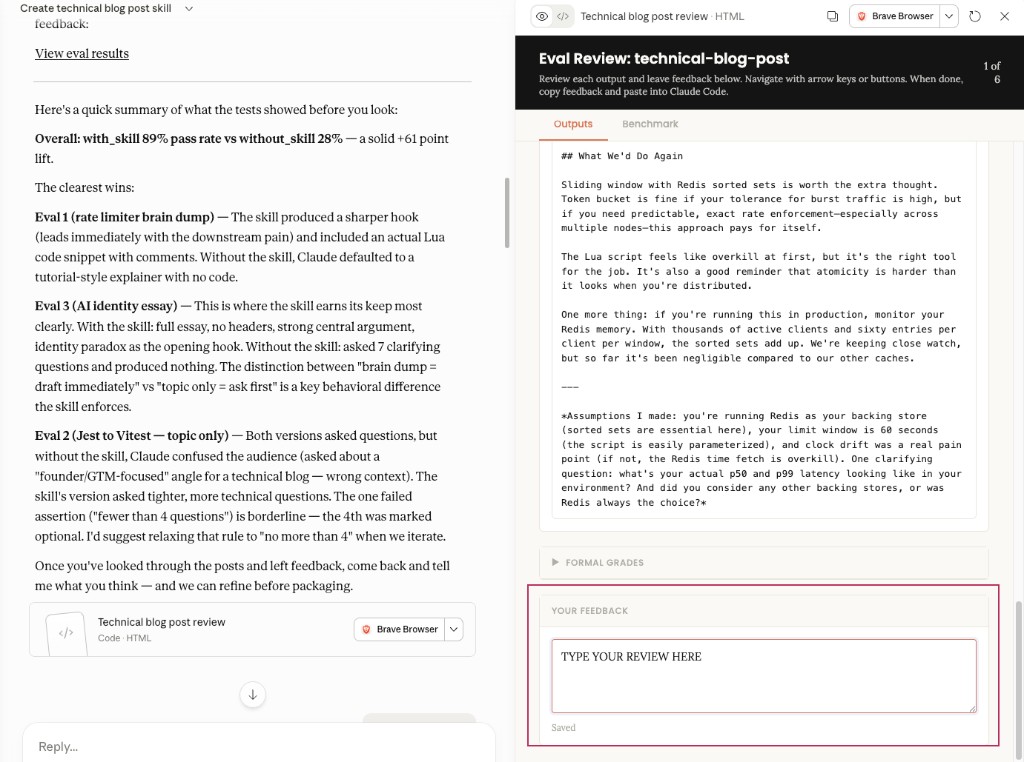
Claude runs an automatic test of your new Skill before you install it. Most people skip this because it looks optional. It isn't. The eval checks whether the Skill fires when it should, stays quiet when it shouldn't, and produces the output you actually want. (I've seen a Skill meant for LinkedIn posts start firing every time someone said the word "write," including when they were asking Claude to write code. The eval catches that.)
Click "View the eval results." Read them. If something's off, fix it before installing.
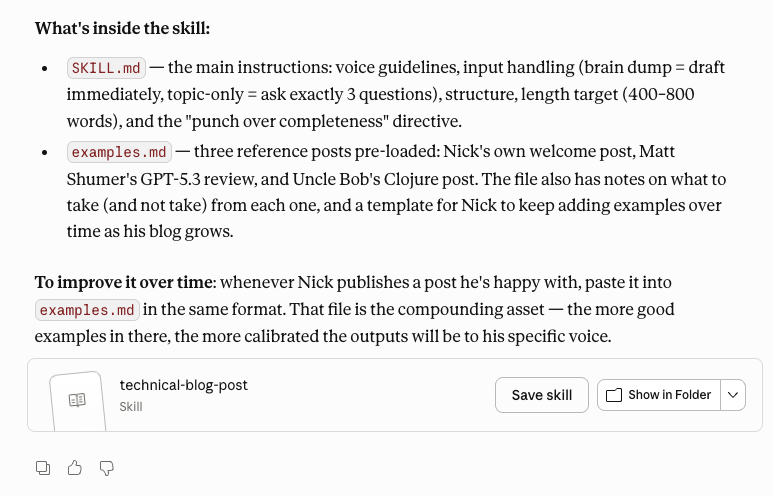
Step 5: Install it.
Save the Skill folder. Then go to Settings, Capabilities, Skills, Upload. Or via the left menu: Customize, Skills, +, Upload a Skill.
Part 2: Browse what already exists
Step 6: You don't have to build from scratch.
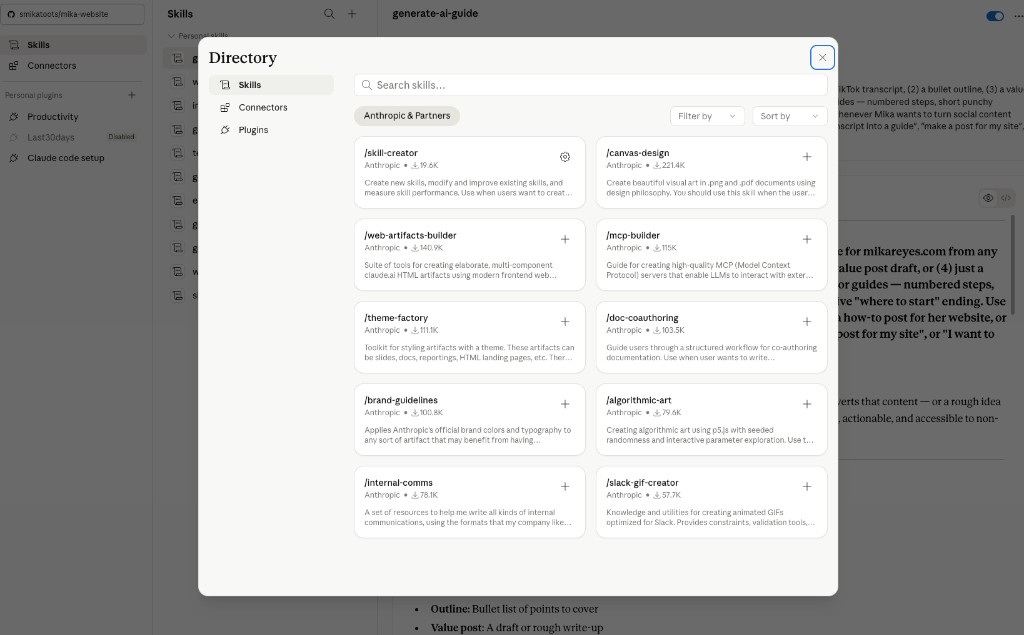
Claude's team ships pre-built Skill packs called plugins. To access them: desktop app only. Go to Customize, Personal Plugins, Browse Plugins, then hit +.
Browse by category or search for a specific use case. A plugin is a bundle of Skills for a workflow. Download one and you get a set of new slash commands instantly, no interview required.
You can also browse skills.sh for community-built Skills.
Part 3: Mine your past conversations
Step 7: Find the task you re-explain the most.
You've been giving Claude the same setup instructions for months. Those repetitions already contain the process. You just need to package it. Open Cowork, find the skill-creator, and type: "Use the skill-creator to help me build a skill for [the thing you keep re-explaining]."
Not sure which task to pick? It's the one where you paste the same context block into every new conversation. That's the one.
Step 8: Test it five different ways.
Once it's installed, open a new conversation and try five different phrasings. "Write a LinkedIn post." "Draft a post for LinkedIn." "I need LinkedIn content about X." The Skill should fire on all of them. Then try two or three unrelated requests, "summarize this document," "draft an email." The Skill should stay silent.
If something's off, ask Claude directly: "When would you use this skill?" Its answer will tell you exactly what to fix in the trigger description.
Part 4: Create your own skill
If you know how, you can always start a new markdown file in your skills folder and just write your skill yourself. Make sure it has appropriate YAML frontmatter!
I don't recommend this because Claude can write skills for you better than you can write it for yourself, but it's an option!
Part 5: Other ways to find skills to create
Here are some other suggestions to find skills:
- Follow @its.mikareyes on Instagram. I post several of the skills I've made or discovered. 😜
- When you have a conversation with Claude and realize it's long and repetitive enough to make a skill, ask Claude: "Please use /skill-creator to convert this conversation into a skill."
- If you have a regular calendar block or recurring meeting, consider if it can be a skill
- Run a scheduled skill every week to ask Claude to suggest tasks you do regularly that can be converted into a skill. (This is a skill I will be posting about soon!)
Where to start
If you use Claude daily but have never built a Skill, start with Steps 1, 2, and 4. Get the skill-creator running, answer the interview properly, and don't skip the eval. One Skill built right beats five built fast.
If you're not sure what to build, start with Steps 7, 6, and 8. Mine your past conversations for the most-repeated task, check the plugin library for anything that covers it, then test before calling it done.
If you want quick wins without building anything, go straight to Step 6. Browse the pre-built plugins first. Someone's probably already built what you need.
Additional Reading
Here are some related guides to check out:
Frequently asked questions
- How do I create a custom Claude skill?
- The easiest way is to open Cowork and ask the skill-creator to build one for your most-repeated task. It interviews you about how you do the task, generates a SKILL.md with a trigger and instructions, and runs an automatic evaluation before you install it. Answer the interview specifically, as if training a new hire, and don't skip the eval. Then upload the skill folder through Settings → Capabilities → Skills.
- What's the difference between a skill and just a good prompt?
- A saved prompt is a recipe card you have to dig up; a skill is a chef who already knows your order. Skills live inside Claude as slash commands and fire automatically when the right context appears, so you stop re-pasting the same setup into every new conversation. A good rule: if you're explaining the same setup to Claude more than twice a week, that's a skill waiting to be built.
- How do I know what skill to build first?
- Pick the task where you paste the same context block into every new conversation. That repetition already contains the process, you just need to package it. If you'd rather not build from scratch, browse Claude's pre-built plugins or skills.sh first, since someone may have already made it. Then test your skill five different ways to be sure it fires when it should and stays quiet when it shouldn't.
Want to build your first AI agent?
Build Your First Agent 101 is the next step! You'll get step by step guides, video tutorials and starter prompts to create your first agent in half a day, customized to your own workflow.
Learn more