How to Audit Your Website SEO and AEO with AI

Co-founder at King’s Cross Labs · ex-LinkedIn PM & Forbes 30 Under 30
Send this guide to yourself
Get the link in your inbox so you can read it whenever you're ready.
Your email will also be saved for future updates.
Most founders treat SEO like something you hire out and wait on. Agency, three months, hope the needle moves. I ran one Claude Code audit on my own site, had agents implement the fixes, and Google search traffic jumped 300% in a week. The whole loop took about 20 minutes of my time. Here's the exact loop.
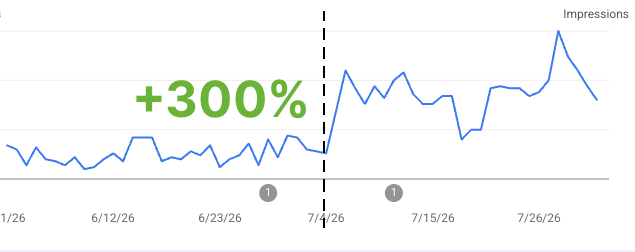
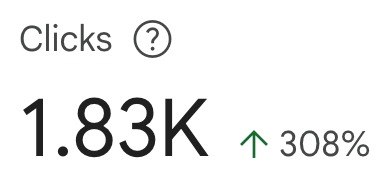
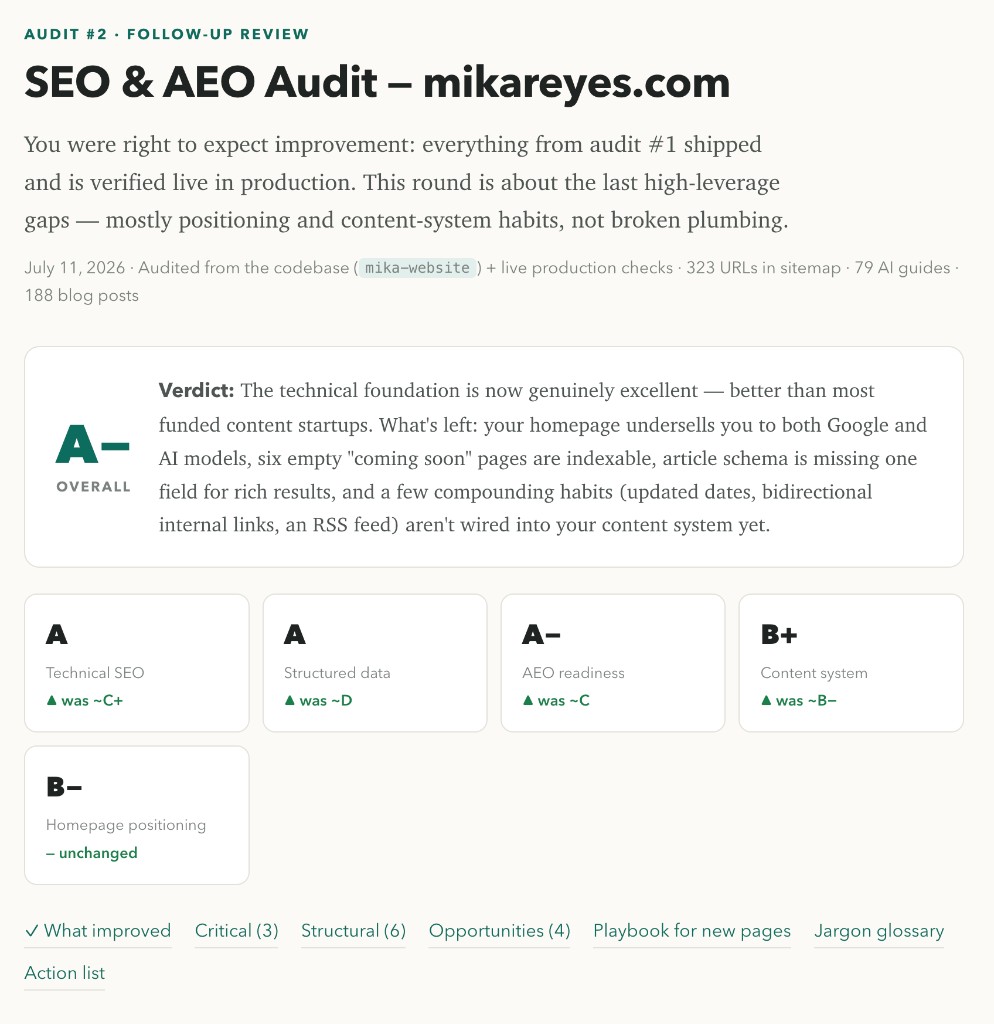
I used Claude Code with the Fable model on my live site (mikareyes.com). First pass graded me roughly C+ / D / C. After the fixes, the follow-up audit landed at A-. What worked: a teaching-first plan, ship the highest-impact fixes with subagents and a goal loop, then re-audit so you know it stuck. If your site lives in a local folder or on GitHub, the agent can read the code and make the changes. If not, you still get the plan and can hand it off.
Key insight: The audit that teaches you why something is broken beats a checklist that just tells you to "fix metadata."
How do you run a Claude SEO and AEO audit in 20 minutes?
You run a teaching-first SEO/AEO audit in Claude Code, implement the top fixes with subagents, then re-audit until the grade jumps. Below is the exact loop I used.
The audit (plan first, don't touch code yet)
1. Open Claude Code on the right project
Point Claude Code at the repo that deploys your site. Pick the Fable model (or whatever frontier model you have). If you're still setting this up, start with How to Setup Claude Code. The agent needs to see both the codebase and, ideally, the live URL.
2. Paste the audit prompt (plan only)
Tell it not to implement anything yet. You want a visual HTML report that grades the site, explains the principle behind each issue, and hands you copy-paste prompts to fix each one.
You are a marketing, CRO, SEO, and AEO growth expert. Do a full SEO and AEO
audit of my website ([PROJECT_FOLDER], which deploys to [LIVE_URL]; make sure
you open the correct project in Claude Code, Codex, or Cursor).

I want a comprehensive report and plan of what's broken from an SEO and AEO
perspective, HOW I should fix each issue (including prompts I can give Claude
to implement the fix), and best practices I should follow when I create new
blog pages, guide pages, and landing pages so I can bake them into my existing
skills/workflows.

Do not implement changes yet. Plan and report only.

Deliver it as a visual HTML file. Cover text, positioning, design, and
technical changes. Teach the principles so I can learn and apply them going
forward, not just check boxes.
3. Read the report like a brief, not a homework pile
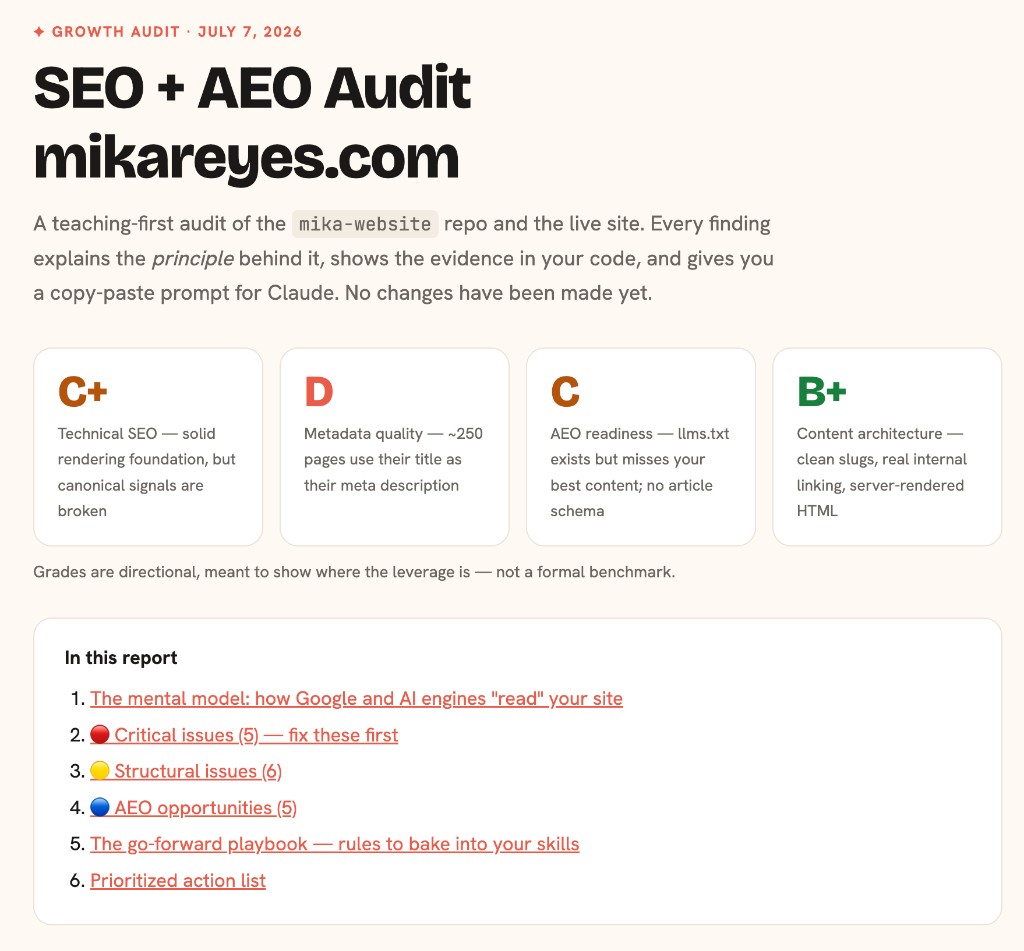
My first audit broke the site into scorecards: Technical SEO, Metadata, AEO readiness, Content architecture. Grades were directional, not a formal benchmark. The point was to show where the biggest wins were.
4. Study one issue end-to-end before you batch-fix
A weak audit says "OG images are wrong" and stops there. A useful one teaches the principle, shows where in the code the problem lives, and gives you the prompt to fix it. Mine flagged that every page shared one OG image at the wrong size, so link previews all looked the same.
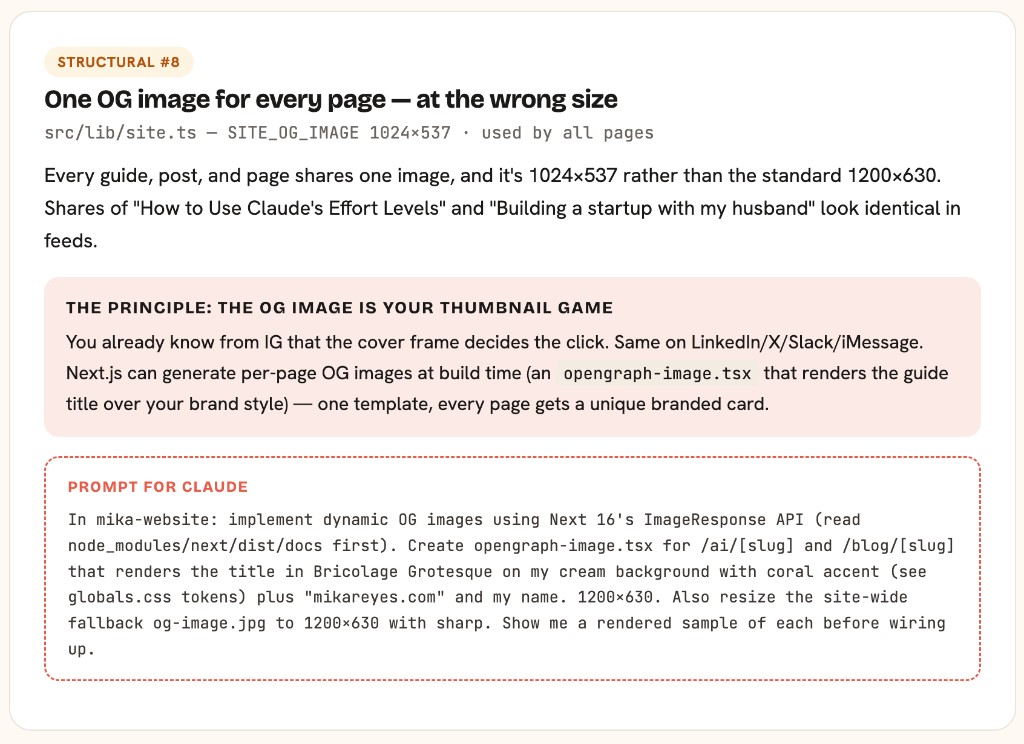
That's the pattern you want: problem → principle → prompt.
The implementation (subagents + goal loop)
5. Hand the action list to subagents
Once you trust the plan, tell Claude to implement the high-priority fixes. I used subagents so multiple fixes could move in parallel, and a goal loop so each one finished all the way instead of stopping halfway.
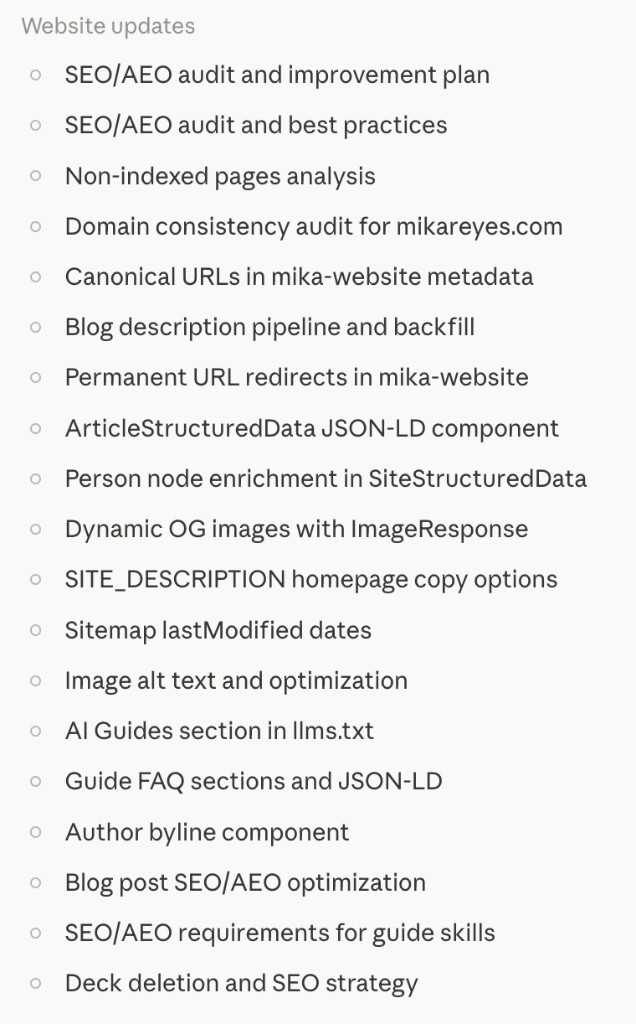
On my site, the shipped batch included:
- Canonical URLs on every page
- Per-article structured data (JSON-LD for articles, FAQs, Person, WebSite)
llms.txt+llms-full.txtso AI crawlers can find the best content- Dynamic OG images per guide and blog post
- Meta descriptions backfilled across posts
- FAQ frontmatter on guides (on-page FAQ + FAQPage schema)
- Sitemap cleanup, redirects, and accurate lastModified dates
- Author bylines and real alt text on images
6. Fix the share preview first if nothing else
When I send a guide or blog post now, the preview shows real title text and my design. That matters for clicks from Slack, LinkedIn, iMessage, and for how Google associates a page with a clear visual signal. It's one of the highest-visibility fixes for the least drama.
The re-audit (prove it worked)
7. Run the same audit again
Same prompt. Same project. Ask for a follow-up review against the first report. If you did it right, the grades jump. Mine went from a rough C-minus overall to A-, with Technical SEO and Structured Data at A, AEO at A-.
8. Verify the wins on the live site, not just in the repo
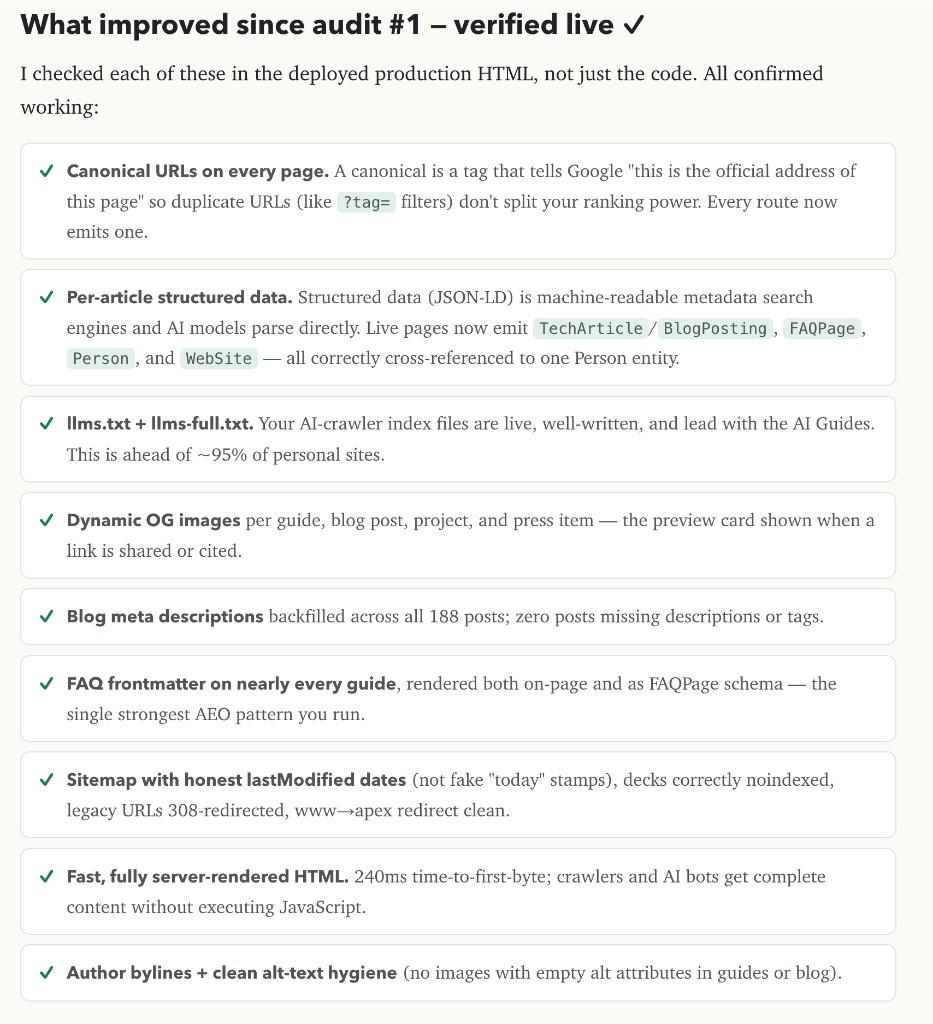
The second report listed what improved and checked production HTML: canonicals live, article schema live, dynamic OG live, FAQ schema live, sitemap cleaned, pages server-rendered fast enough for crawlers.
Make it a routine so the grade doesn't slip
9. Turn the audit into a monthly (or weekly) habit
Every time you ship a bunch of new pages, the site can regress: missing descriptions, weak internal links, stale updated dates, empty "coming soon" URLs still indexable. Re-running the audit after big content pushes keeps you climbing instead of sliding back. Pair it with the habits in 10 Practical Ways to Start AEO so new pages are born answer-ready.
10. Bake the playbook into your content skills
What I keep from a teaching audit is the "rules for new pages" section. Fold those into whatever skill or checklist you use to create guides and blog posts: answer-first openings, FAQ schema, descriptive alt text, real meta descriptions, internal links, OG titles that match the page. Then every new page ships cleaner than the last audit.
Additional reading
Here are some related guides to check out:
Frequently asked questions
- Can I do this without a codebase on my computer?
- Yes, but you will get a plan, not automatic fixes. Point the agent at your live URL for the audit, then hand the prompts to whoever owns the site, or clone the repo from GitHub so Claude can implement directly.
- Do I need to know how to code?
- No. You need Claude Code pointed at the right project, the audit prompt in this guide, and the judgment to approve fixes before they ship. The agent reads the code and writes the changes.
- What is the difference between SEO and AEO in this audit?
- SEO is how Google ranks and indexes your pages. AEO is how AI answer engines cite you. The audit covers both: technical plumbing for crawlers, plus structure like FAQs, llms.txt, and answer-first content so models can quote you.
- How often should I re-run the audit?
- After any big content push, and at least monthly. Weekly is better if you are shipping guides or posts often. The follow-up pass is what catches regressions before traffic slips.
Want to build your first AI agent?
Build Your First Agent 101 is the next step! You'll get step by step guides, video tutorials and starter prompts to create your first agent in half a day, customized to your own workflow.
Learn more