How to Get Started with Grok Bot in 1 Day

Co-founder at King’s Cross Labs · ex-LinkedIn PM & Forbes 30 Under 30
Send this guide to yourself
Get the link in your inbox so you can read it whenever you're ready.
Your email will also be saved for future updates.
Grok Bot is a personal AI assistant that gives each agent a computer, a way to sign into your tools, a team that can talk to each other, and a marketplace of templates you can import. That combo is why it feels like what OpenClaw should have been if it were built for people who don't want to spend a weekend wiring connectors.
Sam Altman should be sweating. Personal assistants like Grok Bot, Instinct, and Meta Muse are finally easy enough that normal people will actually use them, which is how you get consumer adoption instead of another power-user toy. None of this is sponsored. I just think it's really cool, and I'm still in testing mode figuring out which tool fits which job.
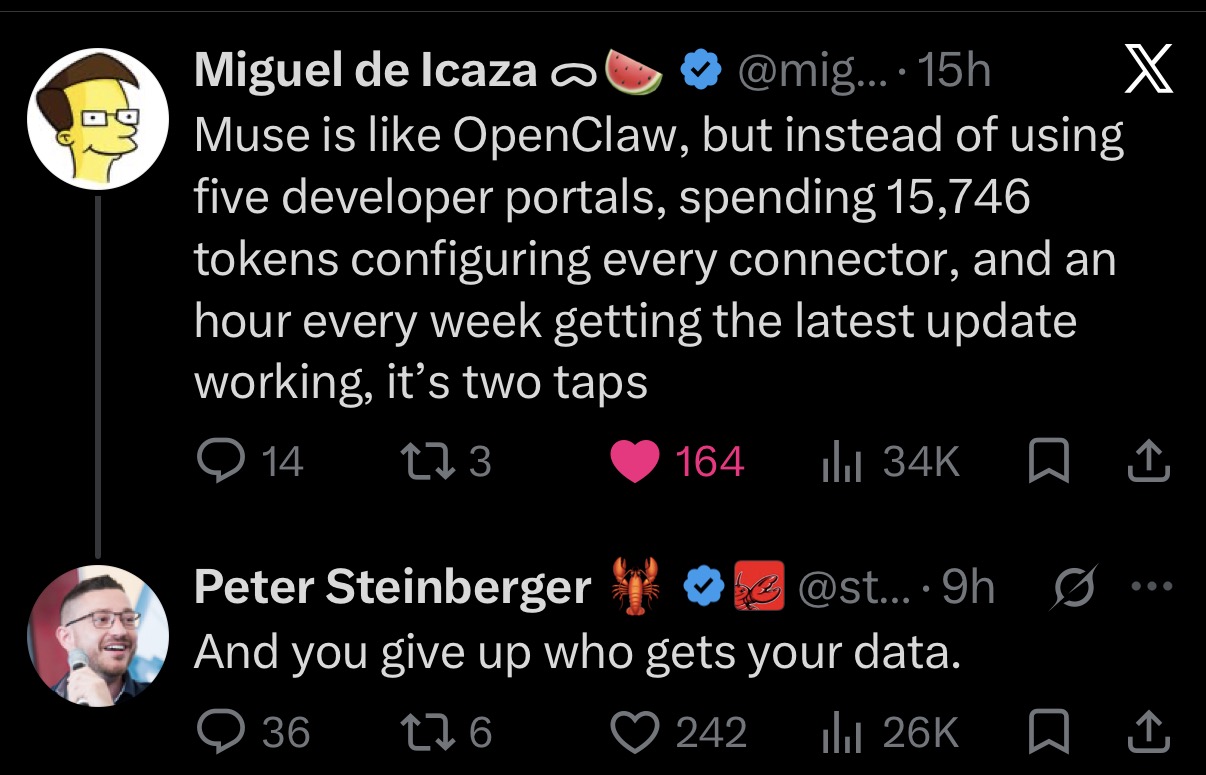
I resisted another agent app. Then the FOMO got me, I tried it, and I liked it because there isn't as much to set up. The honest trade is in a screenshot I keep coming back to: Miguel de Icaza saying Muse is OpenClaw without the developer portals, connector config, and weekly update tax. Peter Steinberger's reply: "And you give up who gets your data." Easy is the point. Easy is also the cost.
If you want the job-by-job roster once you're in, I already wrote how to set up Grok Bot with 7 ideas. This is the "why it's getting hype, then what to do on day one" version.
Why is Grok Bot getting the hype?
Four things. A computer that keeps working after you close the laptop, a vault so it can actually log in, bots that can work as a team, and templates you can import instead of inventing an org chart from scratch.
1. Each agent gets its own computer
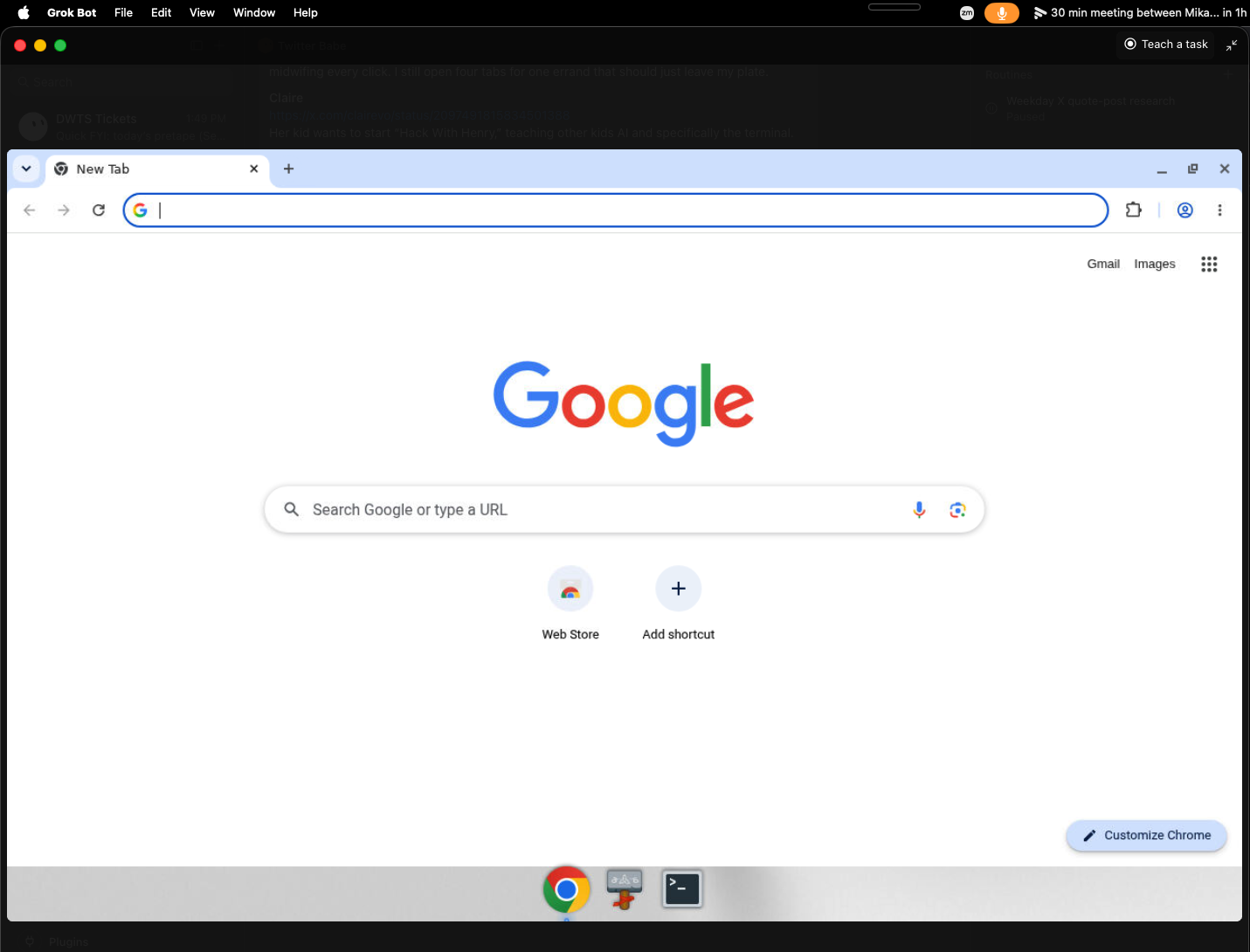
The memes of people leaving a laptop open, or buying a Mac Mini so an agent can keep clicking, are the old version of this. In Grok Bot, each agent has a screen you can watch. It can browse, click, and keep going after you close your laptop.
A virtual machine here just means a computer that lives in the cloud instead of on your desk. You are not babysitting a local process.
2. You can give it logins and payment details through a vault
This is the part that actually lets it book a flight, shop, or sign into a site for you, instead of dumping another draft into chat. Same category of risk I flagged in the Meta Muse 30-minute setup: a vault is useful, and it is also a live login.
Do your homework. Start with a throwaway account. Keep approval on before it pays. Skip your bank.
Key insight: The thing that makes these assistants usable for normal people is the same thing that should slow you down: they can act, which means they can also act with your data.
3. The bots work as a team
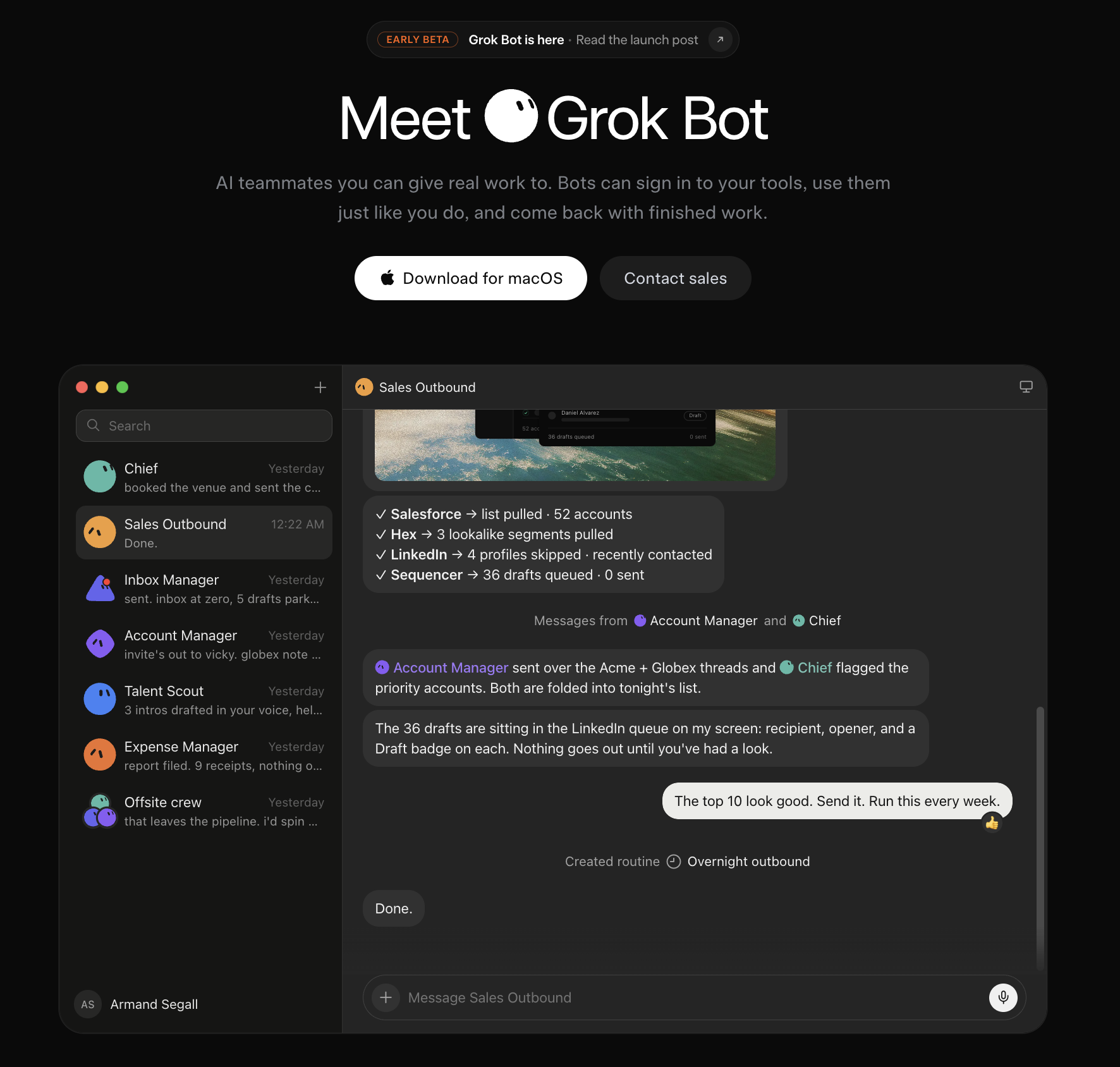
You don't have to message every specialist yourself. I talk to one chief-of-staff agent, and it delegates to research and social the way a manager runs a department. If you've used subagents in Claude, this is that idea as a chat list of named teammates.
4. You can import other people's agents instead of starting from zero
The hardest part of agents is not the model. It's knowing what to automate. Grok lets people publish templates, and you can import them. Browse the Grok Bot marketplace before you invent a 12-bot org chart you'll ignore by Thursday.
How do you get started with Grok Bot in one day?
Download it on desktop and phone first. Then do these five. This is still agentic AI, work that keeps going after you lock the screen, packaged as a chat app.
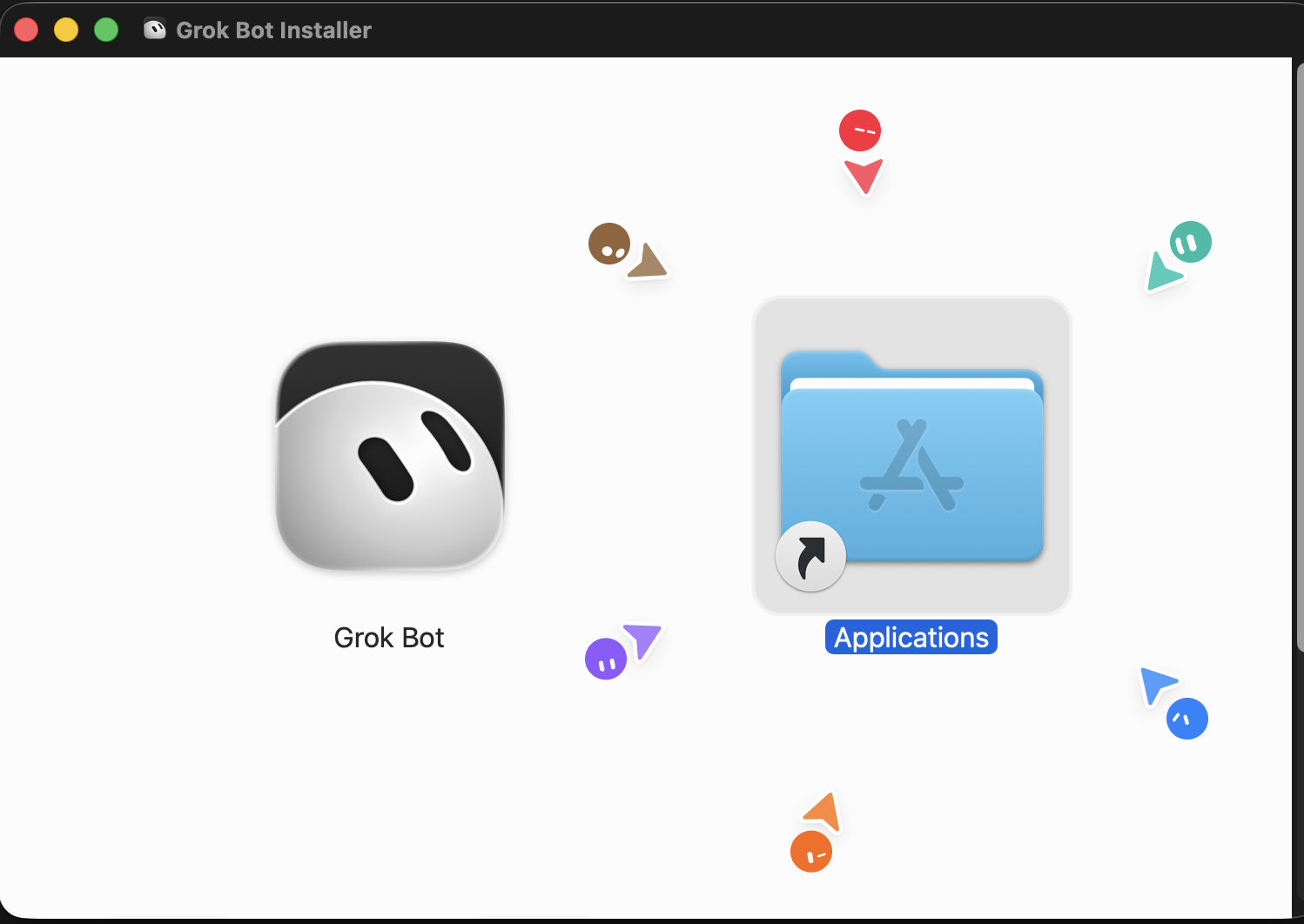
1. Get in, then drag it into Applications
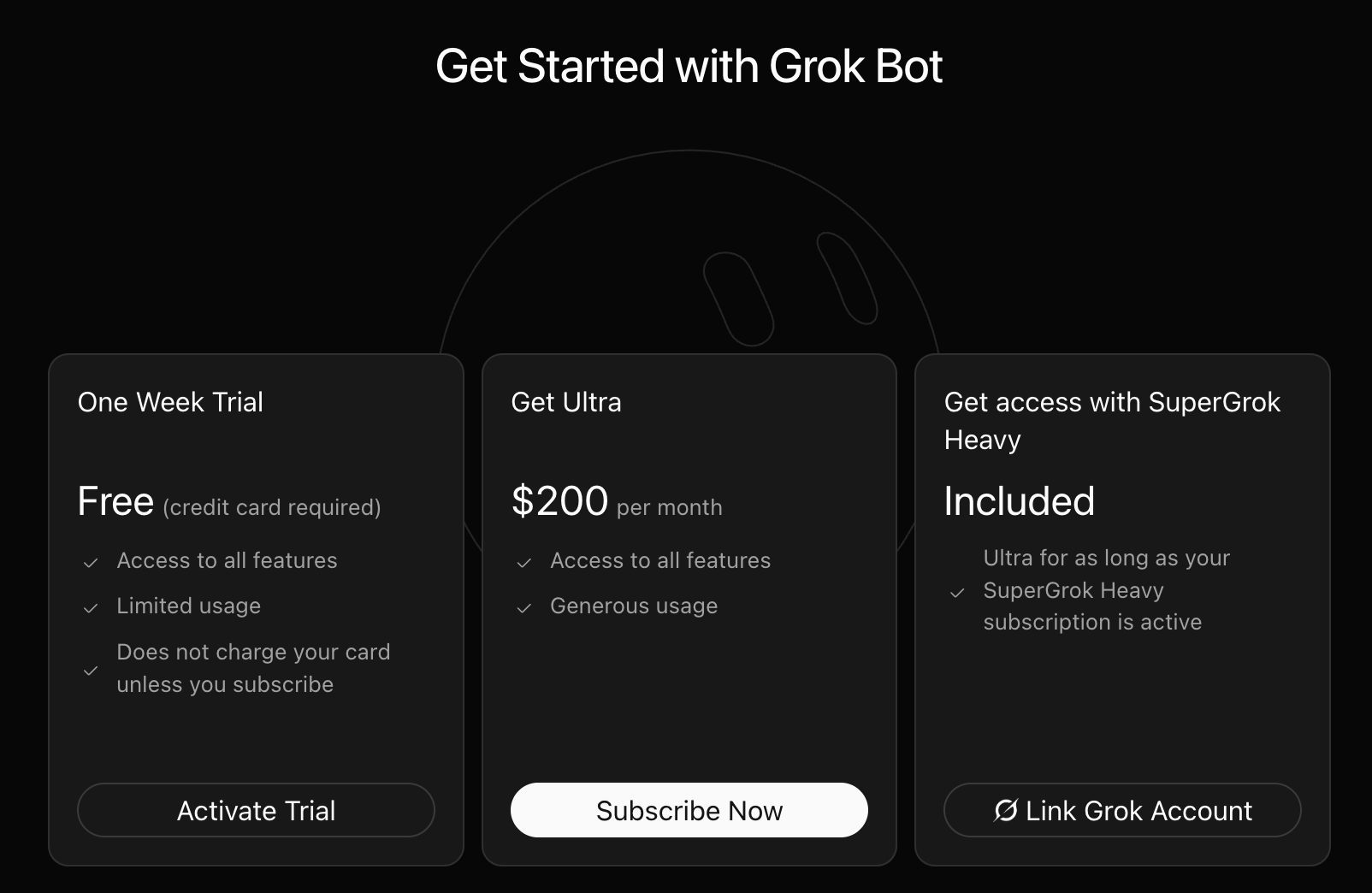
Grok Bot is in early beta. The get-started screen is a one-week trial (card required, limited usage), Cursor Ultra at $200 a month, or SuperGrok Heavy if you already have it. Cursor Pro and Pro+ still do not include this. A long agent run can burn the trial in one sitting.
2. Create a chief of staff first
Think of Grok Bot as a small team, not one mega-chat. The chief of staff is the manager. It can spawn specialists when a job repeats, and it's the one you actually talk to. Mine was hunting facial-spa openings on Booksy while I was doing something else.
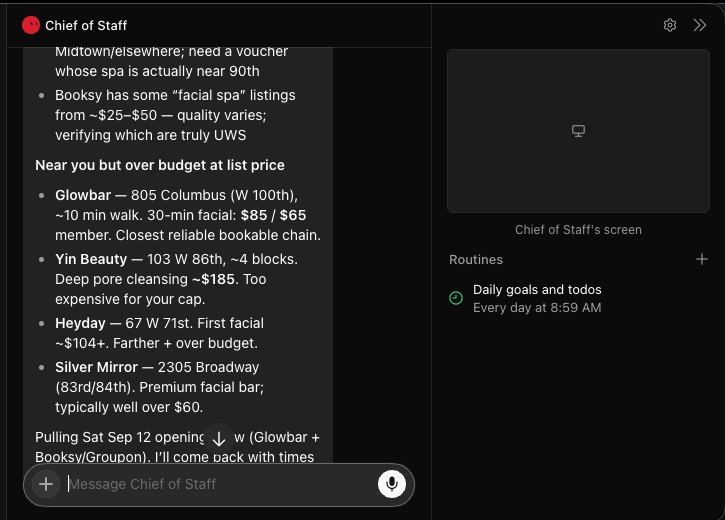
3. Watch the computer until the click makes sense
Once you see that the agent has a browser and a screen, you'll know what to hand it. Research memos stay in Claude. "Go look at this site and come back with times" is a Grok job. My Dancing with the Stars ticket check lives here because it is a website the bot can keep opening.
4. Connect the plugins that job needs
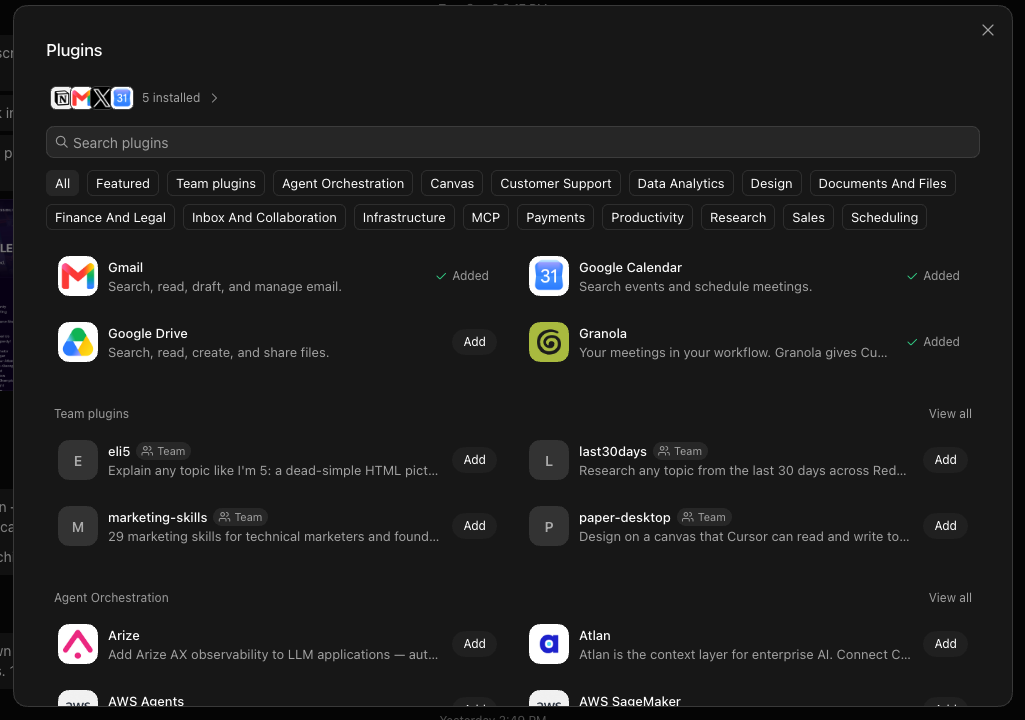
Open Plugins and add the apps that bot should touch. Mine already had Gmail, Google Calendar, and Granola. Ask the chief of staff what else to hand over after you connect, instead of connecting everything on day one. Treat a login as available to the roster, not only the bot you meant it for.
5. Set one routine on something you already check
Routines sit on the right side of the bot. Same idea as putting a repeating event on a calendar. You can write it yourself or ask the agent to set it. Mine runs daily goals in the morning. The one I'd tell a friend to copy is: pick a site you already refresh (tickets, a waitlist, a price) and make that the first routine.
I'm mindblown and still comparing. I'll share a proper bake-off when I've lived in these long enough to be useful, not just excited.
Here are some related guides to check out:
Frequently asked questions
- Can I try Grok Bot without paying $200 a month?
- Yes. There is a one-week trial with limited usage, and SuperGrok Heavy includes access while that subscription is active. Cursor Ultra is $200 a month if you want the generous usage, and Cursor Pro and Pro+ still do not include Grok Bot.
- Is it safe to put my logins and payment details in the vault?
- There are real privacy risks, so do your homework before you store anything you would not hand a contractor. Start with a throwaway login, keep approval on before it pays or books, and skip your bank. Easy setup is the trade: you give up some control over who sees your data.
- What's the difference between Grok Bot and OpenClaw?
- Same idea, different amount of setup. OpenClaw is more DIY: you wire the machine, keys, and connectors. Grok Bot is a downloadable app with a cloud computer, plugins, named bots, and templates you can import, which is why it feels built for normal people.
- How is Grok Bot different from Meta Muse?
- Both are personal AI assistants that are finally easy enough for non-technical people. Muse is the two-tap version if you already live in Instagram and WhatsApp. Grok Bot is a roster of named bots with their own screens, group chats, and a marketplace. I am still testing which tool fits which job.
Want to build your first AI agent?
Build Your First Agent 101 is the next step! You'll get step by step guides, video tutorials and starter prompts to create your first agent in half a day, customized to your own workflow.
Learn more