How to Create Bulk Ad Voiceovers with Claude and Fish Audio

Co-founder at King’s Cross Labs · ex-LinkedIn PM & Forbes 30 Under 30
Send this guide to yourself
Get the link in your inbox so you can read it whenever you're ready.
Your email will also be saved for future updates.
You can test 20 ad voiceovers in about an hour without a mic, a camera, or a studio. Claude writes the scripts, Fish Audio performs them, and you stay in one chat the whole time.
Most people only test the visual. The voice is the other half of how the ad feels, and swapping the read is usually cheaper than shooting a new creative. This is the workflow I use so those reads don't sound like a bot.
I only recommend tools I've actually used. Fish Audio is an affiliate link. I cloned my own voice in it and generate the reads from Claude.
Why this matters
A studio voiceover is slow and expensive. A flat AI voice makes people bounce. If you already run ads, you already know creative testing eats time. Voice testing usually doesn't happen at all, because it used to mean another person, another invoice, another week. This puts 20 different reads on the same footage in an evening, which is the same testing habit you'd already do for hooks, pointed at the thing most teams skip. Pair it with connecting Meta Ads to Claude later if you want the performance data in the same place you write the next batch.
Key insight: You're not looking for one perfect voiceover. You're looking for 20 different hypotheses, then you keep the one that hits.
How do you write 20 ad reads that aren't the same ad twice?
1. Give Claude your offer, then ask for 20 angles. Paste your product, who it's for, and the one action you want. Ask for 20 voiceover scripts, 15 to 30 seconds each (about 40 to 75 words), written for the ear. The failure mode is one ad wearing 20 hats. Force different energy, different pains, different proof. One younger and hyped. One calm. One skeptical. One that sounds like a friend, not a presenter.
Starter prompt:
You are writing ad voiceovers to be spoken out loud, not landing-page copy.

Here is my product and offer: [paste your product and offer]
Here is who it's for: [audience]
The one action I want them to take: [click the link / book a demo / comment / buy]

Write 20 ad voiceover scripts. Each one should be 15 to 30 seconds when read aloud (about 40 to 75 words).

Rules:
1. Structure every script as: hook in the first 3 seconds, the problem in one line, my product as the fix with ONE concrete benefit, one line of proof or believability, then the call to action word for word.
2. Do not write the same ad 20 times with a different hat. Change the angle each time: younger vs older, excited vs calm, skeptical vs already-sold, short and punchy vs more conversational, a different pain, a different proof point.
3. Write for the ear. Contractions. Short sentences. Nothing I wouldn't actually say out loud.
4. Label each script with its angle in one line, then the spoken words only. No camera directions.
5. If two scripts could swap opening lines and nobody would notice, rewrite one of them.
If the first batch still sounds same-y, say so and make it rewrite the clones. Same idea as humanizing AI text: you have to tell it what "different" means, or you'll get polite variations.
How do you connect Fish Audio so Claude can generate the audio?
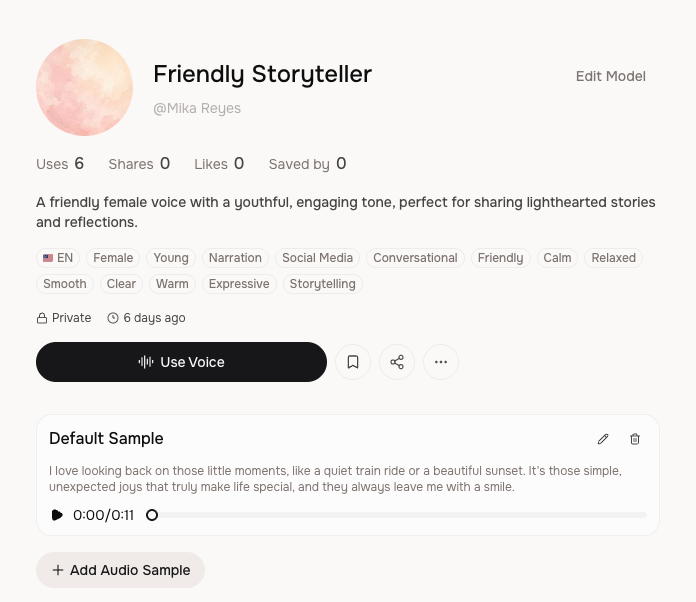
2. Make a Fish Audio account. You need an account before Claude can talk to it. The free starting credits are enough to hear whether the voices are usable. You can pick from the public library or clone your own (I cloned a private one called Friendly Storyteller, English, female, conversational, for social and narration).
3. Connect Fish Audio to Claude with MCP.
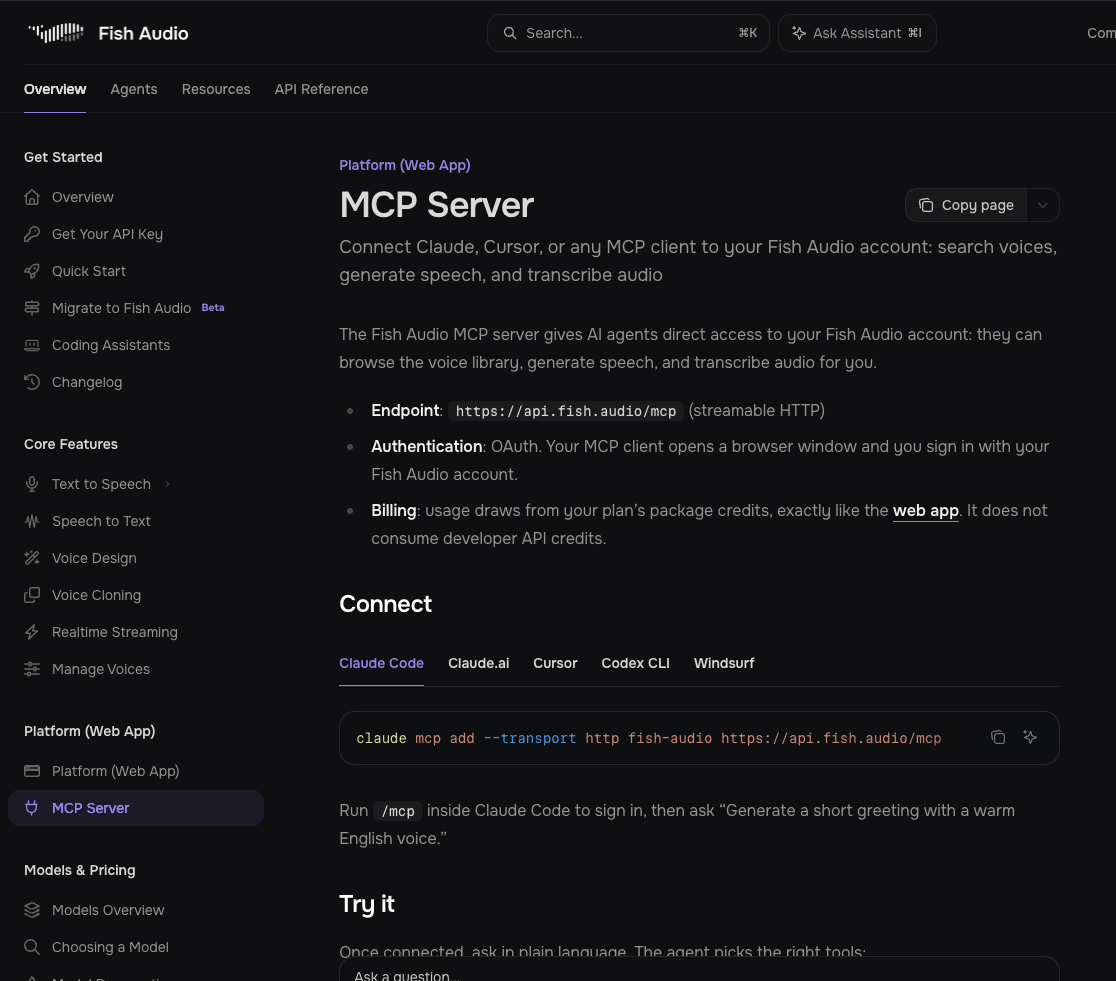
MCP (Model Context Protocol) is a pipe that lets Claude use another app from the chat, instead of you exporting text and pasting it somewhere else. Fish Audio's MCP endpoint is https://api.fish.audio/mcp. You sign in with your Fish Audio account in the browser. Usage comes out of your Fish Audio plan credits, same as the web app.
In Claude on the web: Settings → Connectors → Add custom connector → paste that URL → sign in.
In Claude Code, run:
claude mcp add --transport http fish-audio https://api.fish.audio/mcpThen run /mcp inside Claude Code and sign in. If Claude Code is new, the 5-minute setup is enough. A normal Claude setup still helps so every session isn't starting from zero: How to Setup Claude.
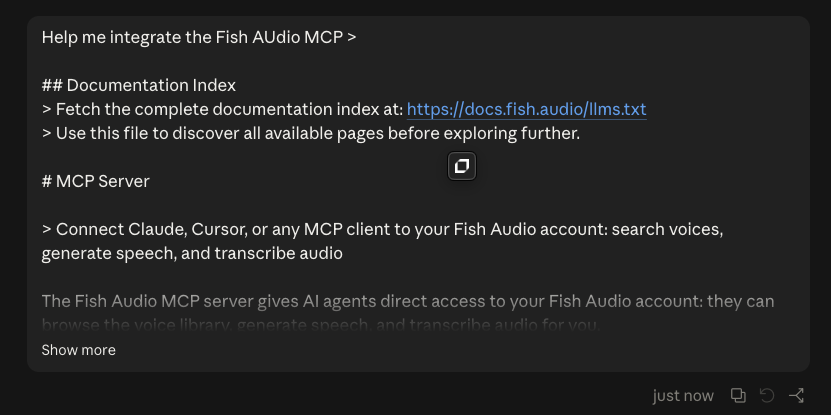
You can also paste the MCP docs into Claude and say "help me integrate this." That's what I did when I was wiring it the first time.
4. If MCP isn't an option, make an API key.
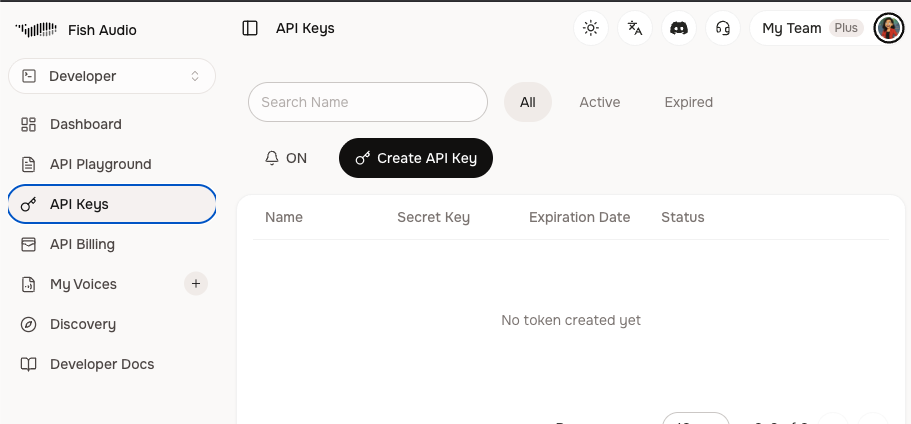
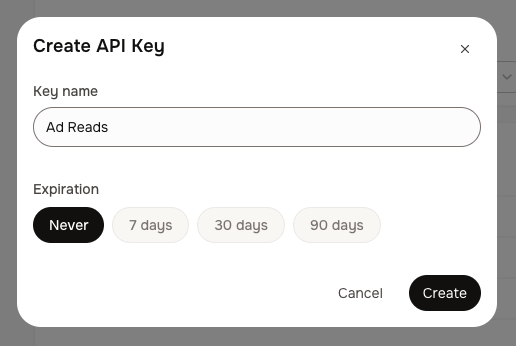
In Fish Audio, open Developer → API Keys → Create API Key. Name it something you'll recognize (mine is "Ad Reads"), set expiration to Never if this is a personal key you'll keep, and Create. Put the key in a .env file. Do not paste it into the chat. Then tell Claude to use that key, and to never print it back.
MCP is the cleaner path. The API key is the fallback when you're in a tool that can't do the OAuth connect.
5. Pick a library voice, or clone yours, then tell Claude which one to use. Library voices are fine for a first test. Cloning is worth it if the ads should sound like you, or like a specific host. Keep the voice consistent across the 20 so you're testing the script and the emotion, not 20 different people.
How do you make the voiceovers not sound like a bot?
6. Add emotion tags in brackets, matched to each angle.
This is the part that separates "AI read a paragraph" from "that could run as an ad." Fish Audio treats square-bracket tags as performance notes. It does not speak the word "excited." You (or Claude) drop tags like [excited], [calm], [confident], [curious], [whispering], [emphasis], and [break] into the script. One primary emotion per sentence. Two to four tags per 20-second read is plenty.
Starter prompt:
Take the 20 ad scripts above and add Fish Audio emotion tags in square brackets so they don't sound like a bot reading a receipt.

Rules:
1. Put one primary emotion at the start of a sentence, like [excited], [calm], [confident], [curious], or [whispering].
2. Match the tag to the angle of that script. A younger, hype read can open [excited]. A calmer read can open [calm] and close [whispering] or [soft tone].
3. Use [break] for a short pause and [emphasis] right before the word that should hit.
4. Do not tag every line. Two to four tags per script is enough. Over-tagging is how it starts sounding acted instead of spoken.
5. Never write the tag as a spoken word. Fish Audio performs what's in the brackets.
6. Return all 20 scripts numbered, tags inline, spoken words only.
Listen to one tagged read and one untagged read before you generate the full set. You'll hear why this step exists.
7. Generate all 20 from inside Claude. Once the MCP (or API) is connected, ask Claude to generate a voiceover for each script, keep the tags inline, use the voice you picked, and save them as numbered audio files. You should not be hopping into another app to click Generate 20 times. That's the whole point of the connect step.
8. Drop the winners on b-roll you already have. The voiceover is half an ad. Put it under product footage, screen recordings, or talking-head takes you already shot. Auto-captions on, because a lot of feeds start muted. If you need a visual from scratch instead of existing footage, the explainer video with AI guide is the other half of that stack. Listen to every read with sound on before you spend. A bad script is still a bad ad in a better voice.
Additional reading
Here are some related guides to check out:
Frequently asked questions
- Can I do this without a mic or a studio?
- Yes. Claude writes the scripts and Fish Audio performs them, so you do not need a microphone, a booth, or a voice actor for the test batch. You still need footage to put the audio on, but that can be b-roll you already have. Listen before you run spend.
- How do I connect Fish Audio to Claude?
- Add Fish Audio's MCP server at https://api.fish.audio/mcp. In Claude on the web that is Settings, Connectors, Add custom connector. In Claude Code you run the official add command, then /mcp, and sign in with your Fish Audio account. Usage comes from your Fish Audio plan credits.
- What's the difference between the MCP and an API key?
- MCP lets Claude talk to Fish Audio after a browser sign-in, with no key in the chat. An API key is the fallback when your tool cannot do that sign-in connect. If you use a key, keep it in a .env file and tell Claude never to print it.
- How do I make AI ad voiceovers not sound fake?
- Write for the ear, then add square-bracket emotion tags that match the angle of each script, like [excited] on a hype hook or [calm] on a quieter read. Two to four tags per script is enough. Generate one tagged and one untagged read first so you can hear the difference before you batch all 20.
Want to build your first AI agent?
Build Your First Agent 101 is the next step! You'll get step by step guides, video tutorials and starter prompts to create your first agent in half a day, customized to your own workflow.
Learn more