How to Get 10 AI Design Options Instead of One

Co-founder at King’s Cross Labs · ex-LinkedIn PM & Forbes 30 Under 30
Send this guide to yourself
Get the link in your inbox so you can read it whenever you're ready.
Your email will also be saved for future updates.
When I was a PM at LinkedIn launching the "I'm Hiring" profile ring, design never walked into review with a single mock. They brought a wall of them, and the conversation was about which one won, not whether the one existed. Working alone without a designer, that used to be impossible. Now it costs one prompt.
Why this matters
The best creative marketers and designers I know never bring one design to a review. They bring ten and argue their way to the best one. You can do the same thing alone, in about five minutes, by uploading a brand file to Paper or Claude Design and asking for directions instead of a design.
You already do this with words. You would never write one headline for your landing page and ship it. You write ten and pick. Your graphics deserve the same treatment.
The prompt is short and the whole thing is repeatable. Here is the exact workflow.
Step 1: Make a brand file
Start with a brand.md holding your colors, your fonts, and the feel you are going for. Without it, ten options come back in ten unrelated styles and every one of them is unusable.
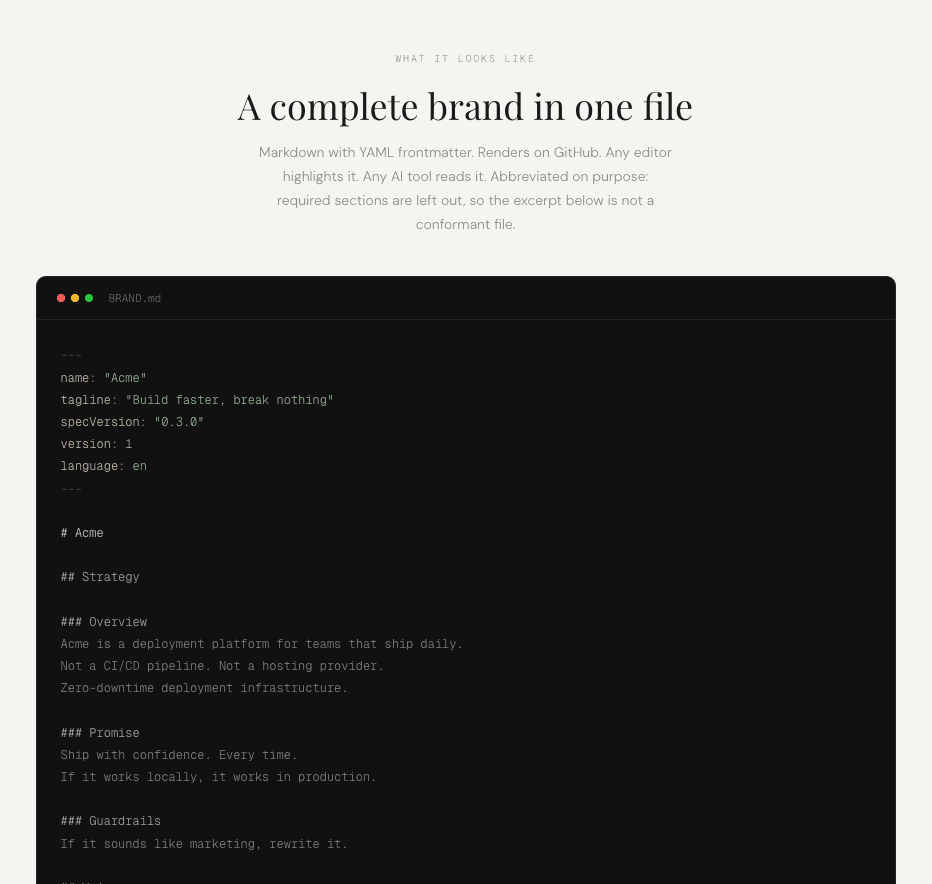
Here is the full guide to creating a BRAND.md file if you do not have one yet. It takes about ten minutes with a free plugin.
Step 2: Open Paper or Claude Design
Upload your brand file to whichever tool you are using. Claude Design works fine and is convenient if you already have it open. Paper is a design canvas built for an agent to work inside, so it handles the "make ten of these" request more naturally.
I like to use Paper over Claude Design, Canva or Figma because:
- Using Claude Design eats through my tokens fast
- The Paper and Claude connection works SO WELL! I find that the Figma and Canva MCPs kind of suck
If you want the full Paper setup, the carousel guide walks through connecting it to Claude.
Step 3: Give it the raw material
Drop in the actual text and the actual photo you plan to use into a canvas. Or, if you already have a carousel or certain base design, you can use that, too (though there might be restrictions on what Paper is able to give as options).
Step 4: Ask for directions, not a design
On Paper, select the assets you want to use. Then on Claude, use this starter prompt and update as needed:
I'm building graphics for my business. Here's the text and photo that I want
to use. Use my brand guidelines to come up with 10 different design options I can
choose from.
I used the 1st graphic below to generate 4 different design directions.
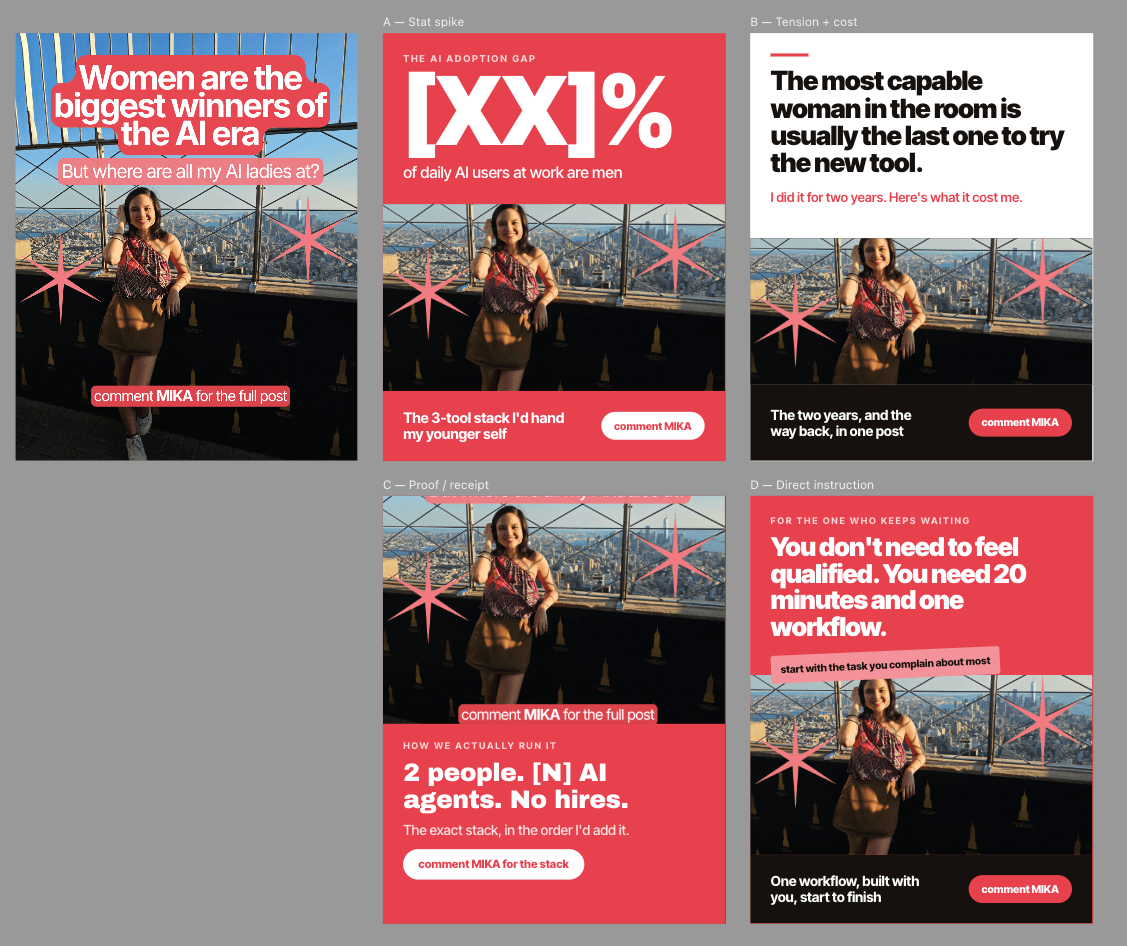
One leads with a statistic, one with tension and cost, one with proof, one with direct instruction. Same photo, same brand, four different reasons to stop scrolling.
Step 5: Pick one, then iterate
Choose your favorite and ask for five more versions of just that direction, or start editing it directly. Paper makes it nice and easy! The second round is where the design gets good, because you are refining something that already works instead of exploring from zero.
Step 6: Save it as a skill
If you do this weekly, package the whole thing into a Claude skill so it becomes one command instead of a prompt you rewrite each time. The skill holds the instructions, your brand rules, and the ask-for-ten structure, so you go straight to reviewing options.
Here is how to create a custom skill, and here is what a skill is if you have not built one before.
Additional reading
Here are some related guides to check out:
Frequently asked questions
- Why should I ask for 10 designs instead of one?
- Because you cannot judge a design in isolation, only against alternatives. Asking for ten costs the same five minutes as asking for one, and it turns a yes or no decision into a real comparison where you can see which direction actually lands.
- Should I use Paper or Claude Design for this?
- Both work. Claude Design is convenient if it is already open, but generating ten variations burns through tokens quickly. Paper is the better choice if you do this regularly, since it is built as a design canvas the agent works inside.
- Do I need a brand file to do this?
- Yes, or the ten options come back in ten unrelated styles and none of them are usable. A brand file with your colors, fonts, and feel is what makes the variations different in layout and message while staying recognizably yours.
- What do I do after I pick a favorite?
- Ask for five more versions of just that one, or start editing it directly. The second round is where the design actually gets good, because you are refining a direction that already works instead of exploring from scratch.
Want to build your first AI agent?
Build Your First Agent 101 is the next step! You'll get step by step guides, video tutorials and starter prompts to create your first agent in half a day, customized to your own workflow.
Learn more