How to Make an AI Website Not Look AI-Generated

Co-founder at King’s Cross Labs · ex-LinkedIn PM & Forbes 30 Under 30
Send this guide to yourself
Get the link in your inbox so you can read it whenever you're ready.
Your email will also be saved for future updates.
People can tell when a website was made with AI, and it makes your brand look cheap. The fix takes four tools: one finds the AI slop on the site you already have, one stops your coding agent from writing more, one gives you a better style to copy, and one adds a moment people remember.
Every site I ship is built with AI. We're a 2-person company with no developer, and that includes mikareyes.com and tryadeli.com. AI made shipping fast. The catch is that a coding agent left to its defaults builds the same website as everyone else. These are the four fixes that keep my sites from looking like that.
What does an AI-generated website look like?
AI-generated websites repeat the same handful of design defaults, and once you know them you'll see them everywhere. The usual tells are a beige background, a big serif headline with one word in italics, a small all-caps label above the headline (called a "kicker"), and a colored stripe down one side of a card.
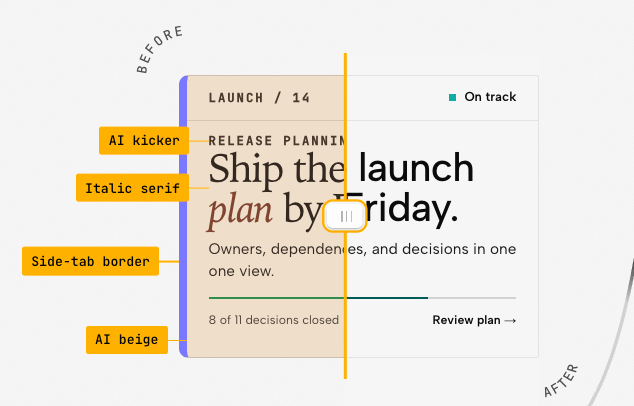
None of these are bad on their own. The problem is that every AI tool reaches for them, so when they all show up together, visitors know a machine designed your site. For the same problem in graphics, see How to Spot AI-Made Graphic Design and Posters.
How do you fix a website that already looks AI-made?
Run the slop out of the site you have, then stop new slop from getting written. Do those two first, because a better style or a 3D hero won't help if the AI defaults are still underneath.
Fix what's already there
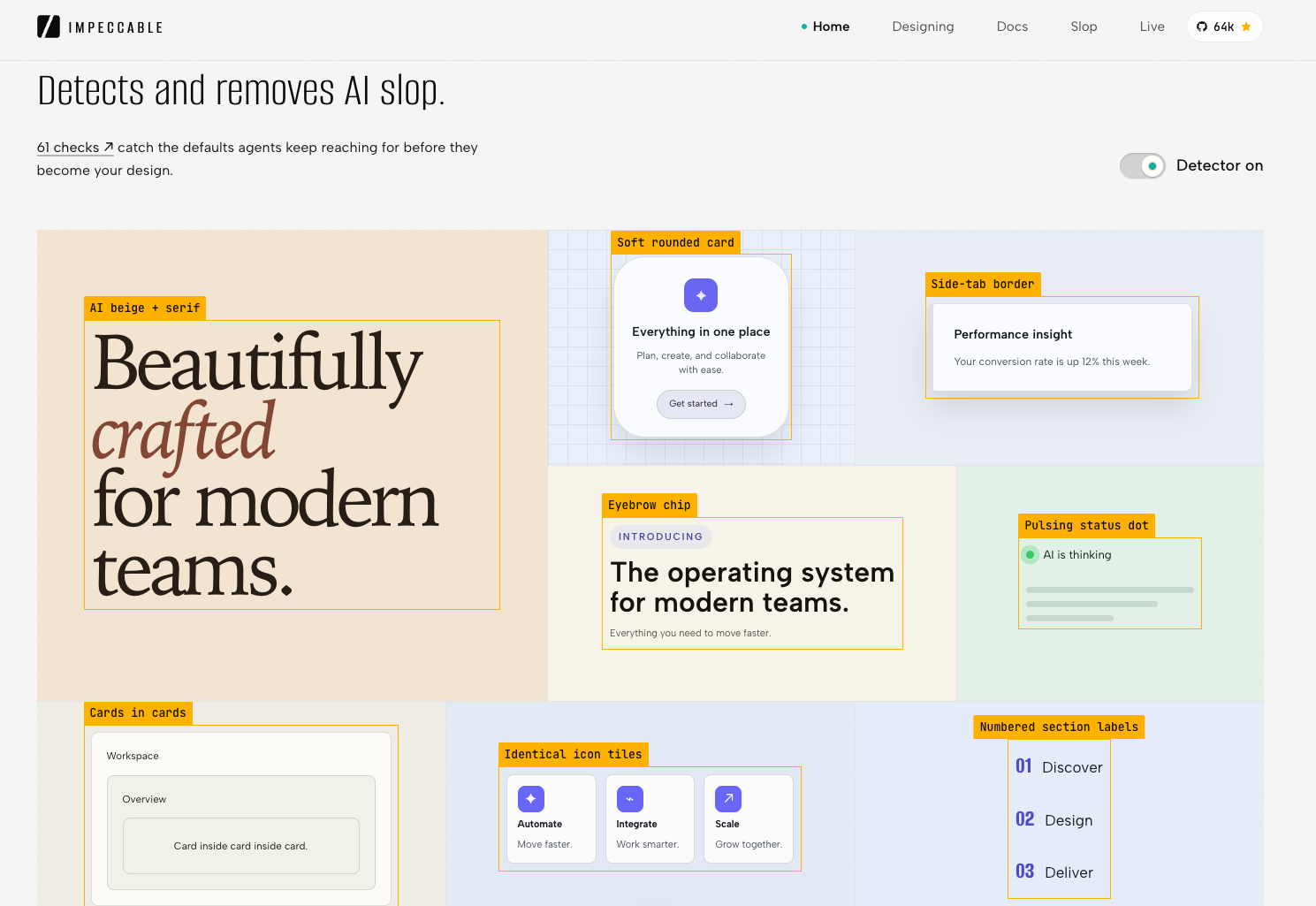
1. Run Impeccable to find and remove the AI slop. Impeccable is a free skill for your coding agent. A skill is a set of instructions your agent loads when a task calls for it (more on skills here). It runs 61 checks for the defaults agents keep reaching for, like cards nested inside cards, identical icon tiles, and pulsing "AI is thinking" dots. Install it with npx impeccable install, run /impeccable init once, then point it at your site with /impeccable audit. It flags every tell and cleans them out.
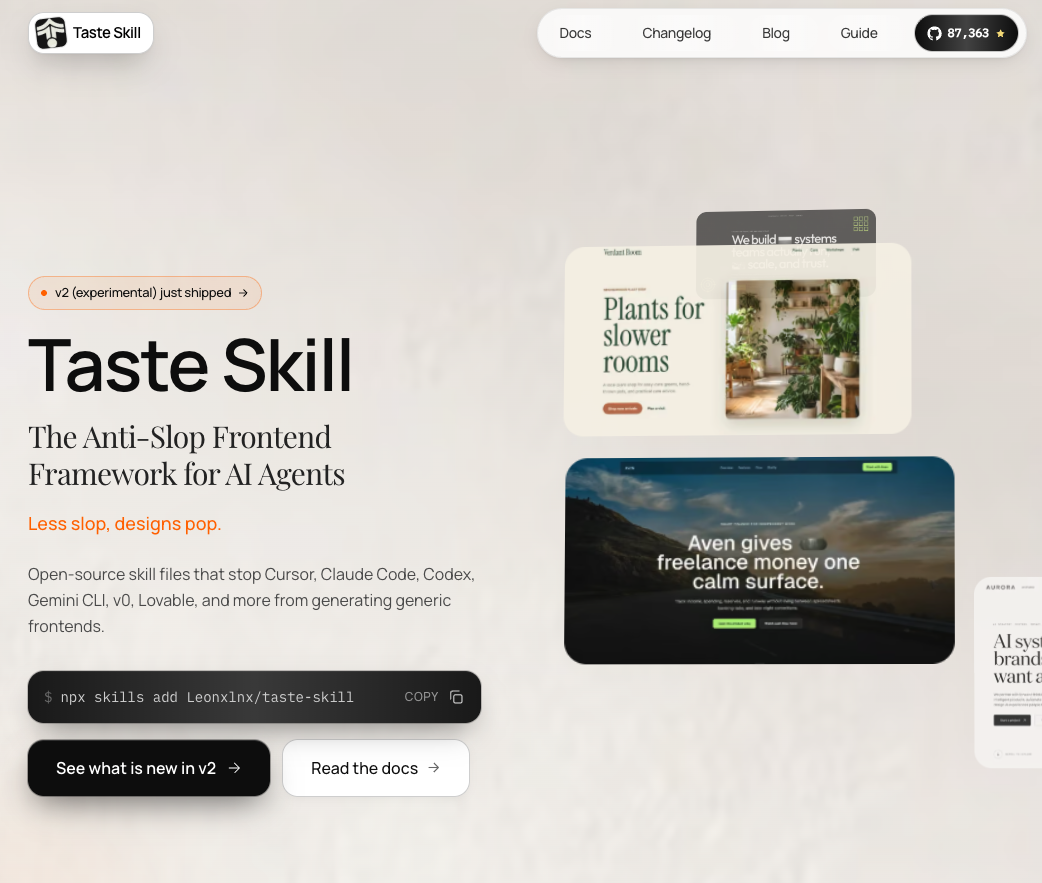
2. Install the Taste skill so the slop never gets written. Impeccable cleans up after the fact. Taste works before anything gets built: it's a set of open-source skill files that stops Claude Code, Cursor, Codex, Lovable, v0, and others from producing generic frontends. Install it with one command, npx skills add Leonxlnx/taste-skill, and every page your agent builds after that starts from a better baseline. New to running commands? Start with How to Setup Claude Code.
Key insight: Removing the slop only gets you back to neutral. To look expensive, your site needs a style of its own.
Give it a look worth copying
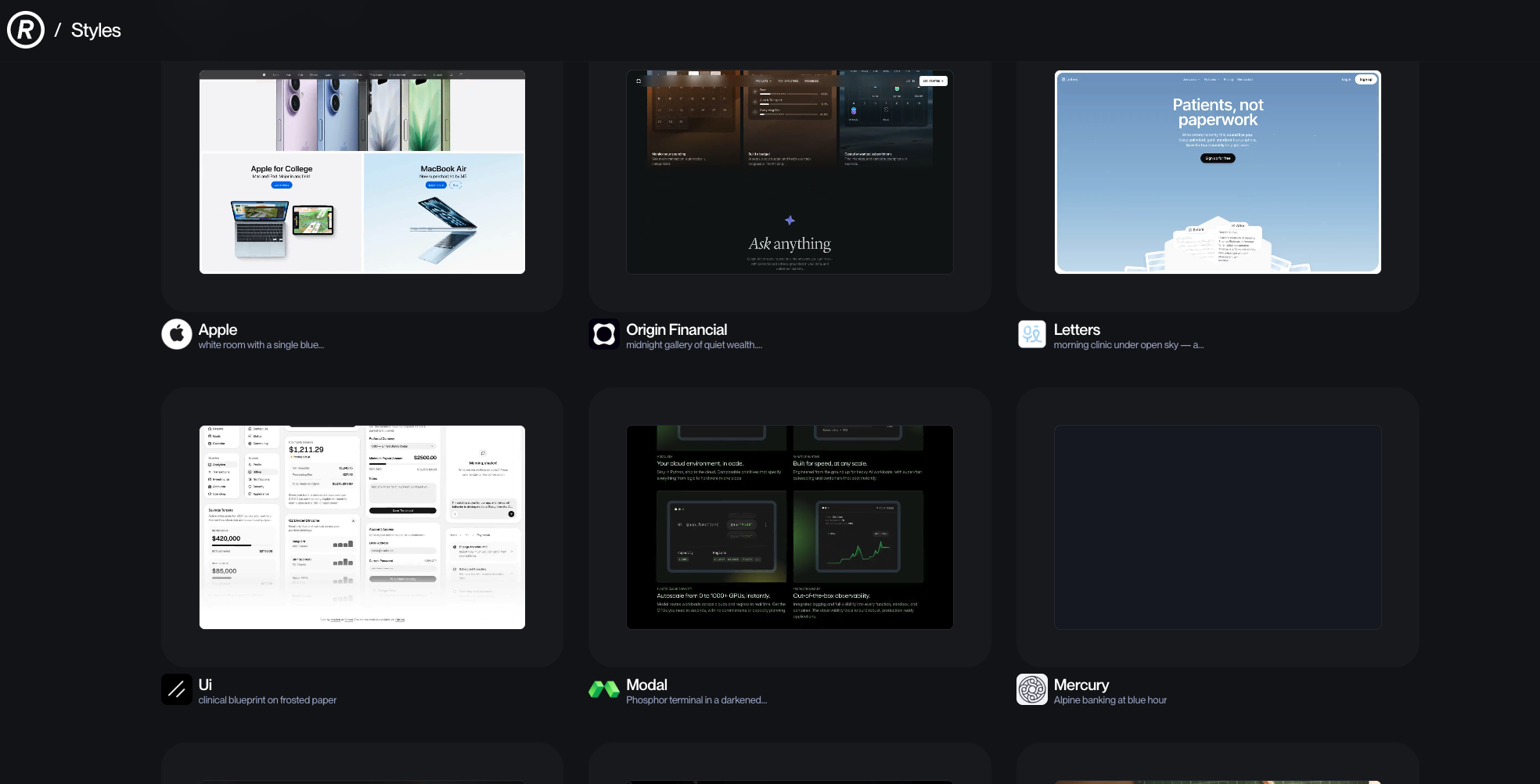
3. Borrow a real style from Refero. Refero is a library of real websites, from Apple to Mercury, each with a design.md file you can hand your coding agent. A design.md is a plain text file that lists a site's exact colors, fonts, and spacing. Instead of describing a vibe, you give your agent the actual styles behind a site that looks expensive, and then make it yours. I wrote the full walkthrough in How to Make Your Website Look Expensive with AI.
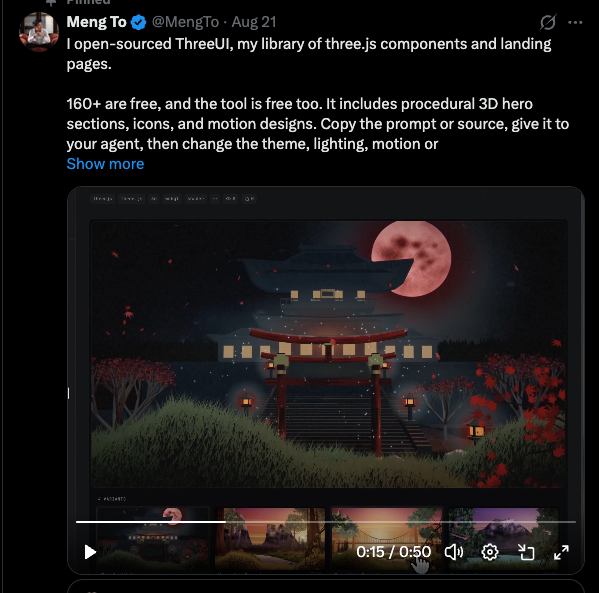
4. Add one ThreeUI component people remember. ThreeUI is Meng To's free library of more than 160 3D components and landing pages, built with three.js, a code library for 3D graphics in the browser. You copy the prompt or source code, give it to your agent, and change the theme, lighting, and motion to match your brand. It's the one I'd open first. Use just one 3D moment, usually the hero, so it stands out instead of cluttering the page. Here's the full build: How to Create an Interactive 3D Website with AI.
In what order should you use these?
Go in this order: detect, prevent, restyle, add the wow moment. Impeccable cleans the site you have. Taste keeps it clean as you build more. Refero gives it an identity, and ThreeUI gives people something to remember. If you only have an hour, run Impeccable and install Taste, because those two remove the tells visitors notice first. For more ways to push AI design past its defaults, see 8 AI Design Techniques to Break Safe Mode.
Additional reading
Here are some related guides to check out:
Frequently asked questions
- How do I make my AI-generated website not look AI-made?
- Remove the default AI design tells first, then give the site a style of its own. Run the Impeccable skill to find and clean up slop like beige backgrounds and italic serif headlines, install the Taste skill so your agent stops producing it, and borrow a real style from Refero.
- What's the difference between Impeccable and the Taste skill?
- Impeccable fixes a site that already exists by checking it for AI design tells and removing them. Taste works before anything gets built, steering your coding agent away from generic frontends from the start. Use Impeccable on what you have and Taste for everything you build next.
- Do I need to be a developer to use these tools?
- No. All four work through a coding agent like Claude Code, so you install them with a single command and then ask for changes in plain English. I run two companies' websites this way with no developer on the team.
- Are Impeccable, Taste, Refero, and ThreeUI free?
- Impeccable and Taste are free, open-source skills. ThreeUI offers more than 160 components for free, and Refero lets you browse its style library and the design.md behind each style.
Want to build your first AI agent?
Build Your First Agent 101 is the next step! You'll get step by step guides, video tutorials and starter prompts to create your first agent in half a day, customized to your own workflow.
Learn more